

Modifying or Deleting a Custom Identity Policy
To maintain a secure account environment, you must periodically review your custom identity policies to modify any that pose security risks and promptly delete those that are no longer needed. This section describes how to modify and delete existing custom identity policies.
Modifying a Custom Identity Policy
To modify the name, description, or content of a custom identity policy, do as follows:
- Log in to the new IAM console as an administrator, and choose Identity Policies in the navigation pane.
- Click the name of the target identity policy.
- In the Policy Content tab, click Edit to edit the details about the identity policy. Figure 1 Modifying a custom identity policy
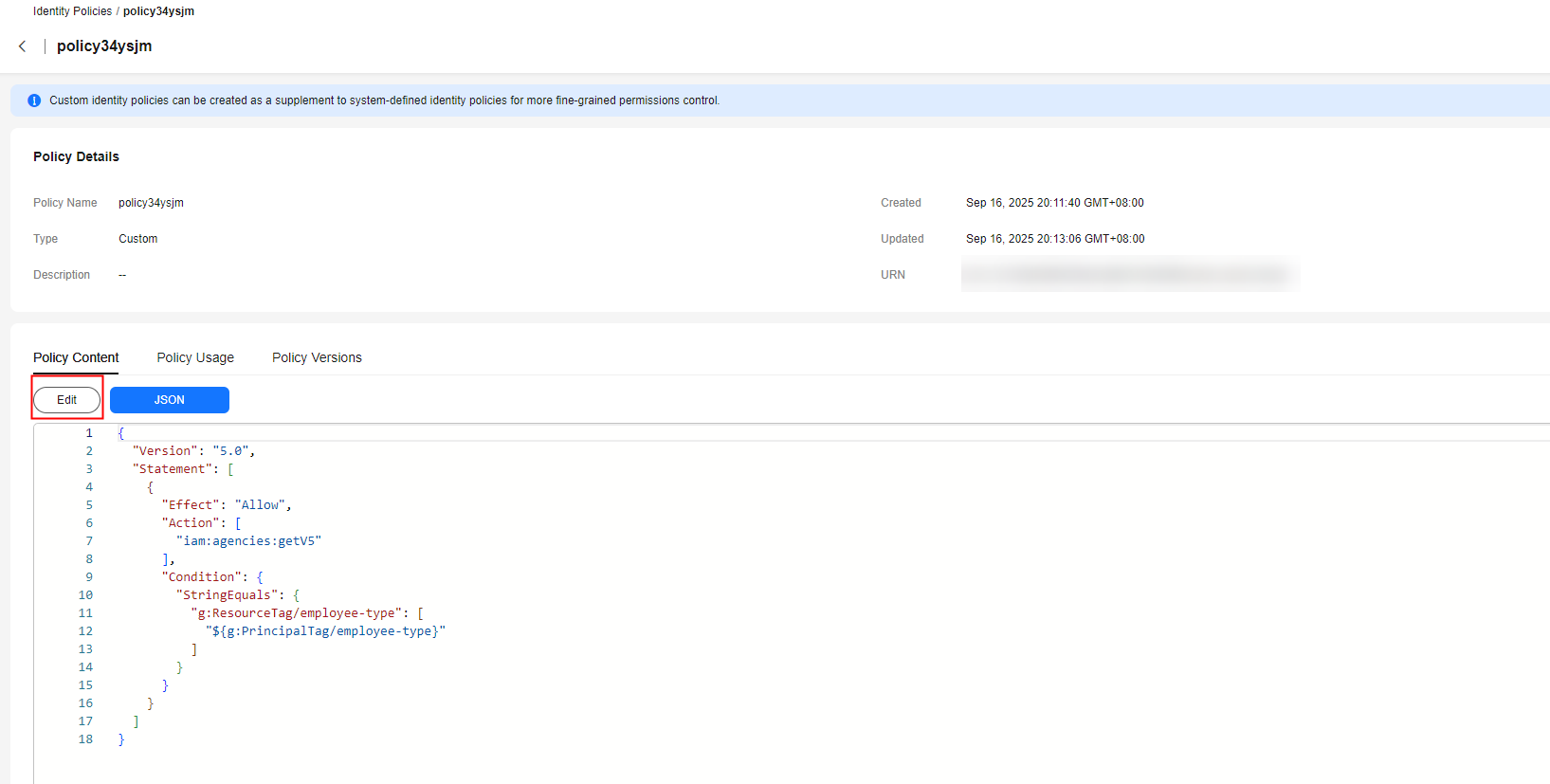
- Modify a custom identity policy by referring to Creating a Custom Identity Policy in the Visual Editor or Creating a Custom Identity Policy in JSON View. Currently, the name of a custom identity policy cannot be modified.
- Click OK to save the modifications.
Check the content of the identity policy to verify that the modifications are applied.
Deleting a Custom Identity Policy
Notes and Constraints
Custom identity policies cannot be deleted if they have been attached to IAM identities. To delete these policies, detach them first.
- Log in to the new IAM console as an administrator, and choose Identity Policies in the navigation pane.
- Select the custom identity policies to be deleted.
- Click Delete above the identity policy list. Figure 2 Deleting a custom identity policy
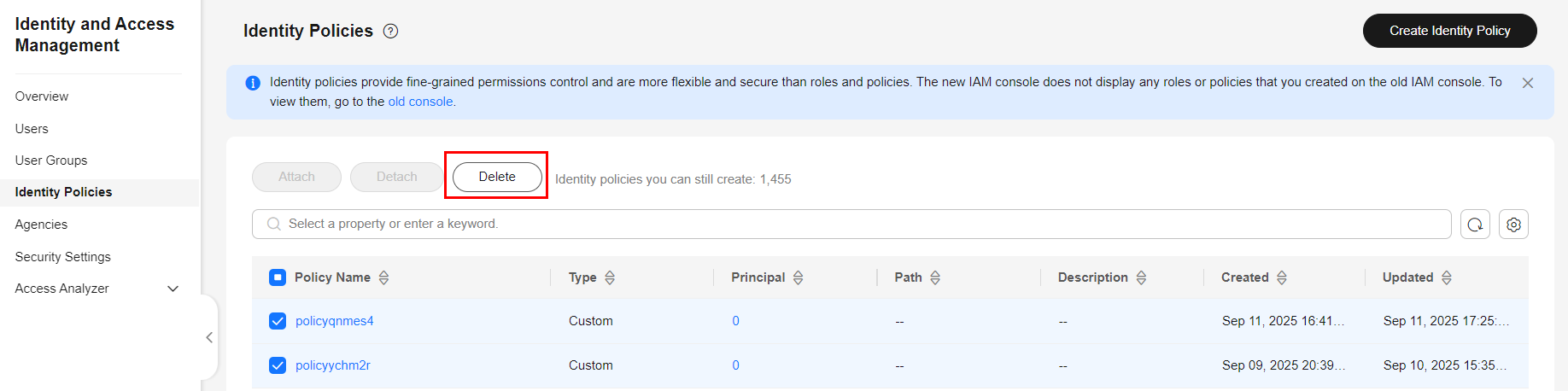
- Confirm the information, enter DELETE in the displayed dialog box, and click OK.
Search for the identity policy in the search box of the identity policy list to verify the deletion.
What is your overall rating for this page?
Thank you very much for your feedback. We will continue working to improve the documentation.See the reply and handling status in My Cloud VOC.
For any further questions, feel free to contact us through the chatbot.
Chatbot


