

Creating an Alarm Rule and Notification for DCS Event Monitoring
You can use Cloud Eye to monitor DCS events. After you set event notification, you will be notified upon events such as master/standby switchovers, Redis node exceptions, and data synchronization failures.
If Alarm Notifications is enabled, notifications are sent by the Simple Message Notification (SMN) service, which will incur charges.
Procedure
- Log in to the console.
- Click
 in the upper left corner and choose Management & Governance > Cloud Eye.
 - In the navigation pane, choose Event Monitoring,
Alternatively, in the navigation pane on the left, choose Alarm Management > Rule Settings.

In some regions, the path is Alarm Management > Alarm Rules.
- Click Create Alarm Rule in the upper right corner.
- Set alarm parameters by referring to Table 1. Figure 1 Creating an event alarm
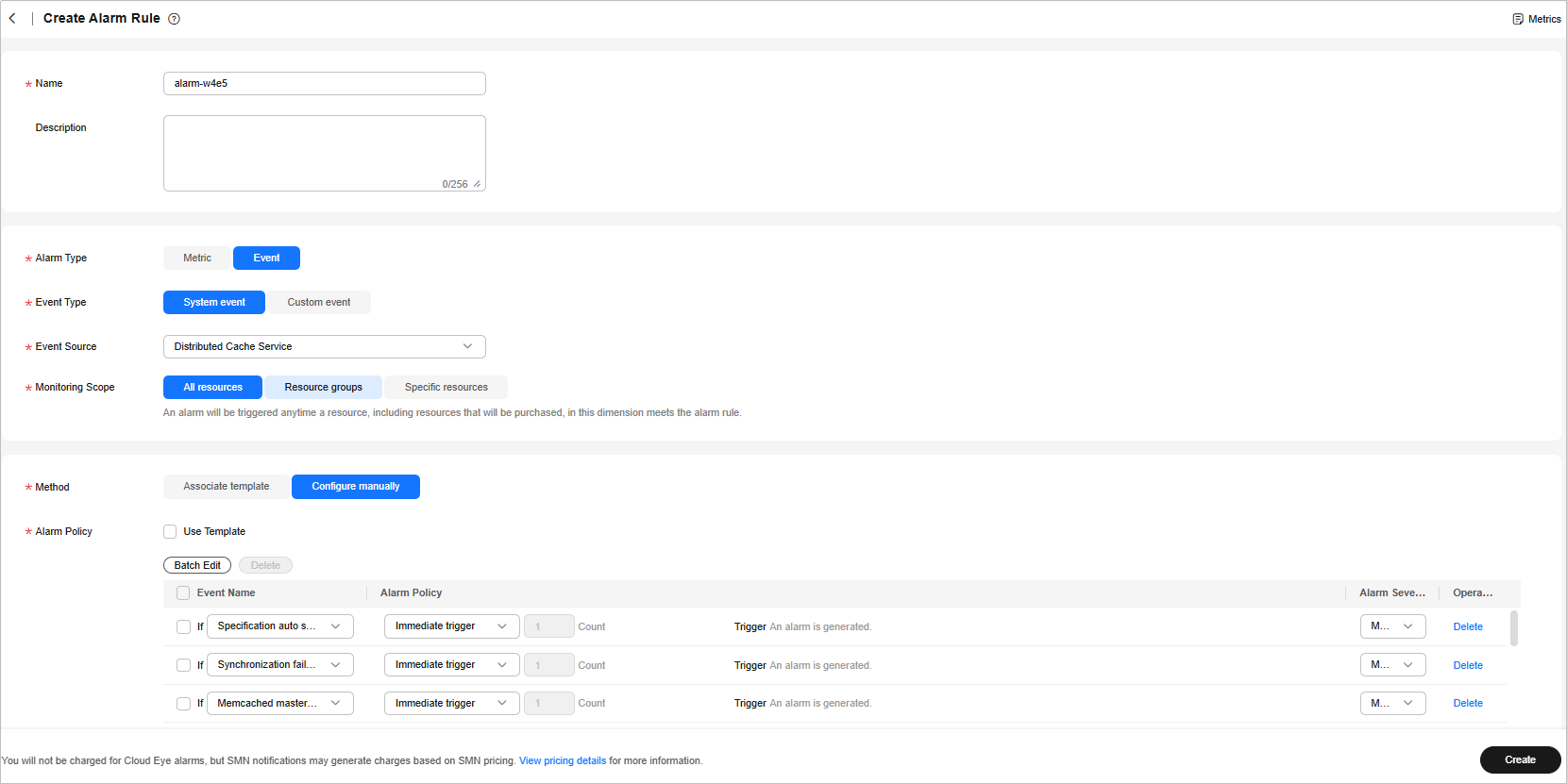
Table 1 Parameters Parameter
Description
Name
The system generates a random name and you can modify it.
Description
Enter the description of the alarm rule.
Alarm Type
Select Event.
Event Type
Select System event.
Event Source
Select Distributed Cache Service.
Monitoring Scope
Select the resource scope to which the alarm rule applies.
Method
Select Configure manually.
Alarm Policy
Configure policies by referring to Table 1 in Monitored DCS Events.
Alarm Notifications
Select an option as you need.
Alarm messages are sent by SMN, which may incur a small charge.
- Click Create. In the displayed dialog box, click OK.
What is your overall rating for this page?
Thank you very much for your feedback. We will continue working to improve the documentation.See the reply and handling status in My Cloud VOC.
For any further questions, feel free to contact us through the chatbot.
Chatbot


