

Help Center/ Cloud Container Instance (CCI)/ User Guide/ Using CCI with CCE/ Networking/ Configuring Networking
Updated on 2026-09-09 GMT+08:00
Configuring Networking
This section describes how to enable and configure networking so that pods on local CCE cluster nodes can communicate with pods automatically scheduled to CCI through a Kubernetes ClusterIP Service.
Constraints
- Networking cannot be enabled for CCE clusters that use a shared VPC.
- hostNetwork is not supported.
- If a workload is scheduled from CCE to CCI, only ClusterIP Services can be used for communication between the pods in CCE and those in CCI.
- Networking depends on the startup of sidecar containers. To use this feature, you need to ensure the version of the CCE Cloud Bursting Engine for CCI add-on is 1.5.42 or later.
- PostStart needs to be configured for service containers.
- If init container networking is required, you need to enable this option by following the instructions in Enabling Init Container Networking.
- You can enable networking and init container networking when the add-on rolling upgrade is complete. (Deliver workloads when the add-on is in the Running state again.) Otherwise, the add-on will be abnormal.
- When installing the CCE Cloud Bursting Engine for CCI add-on to schedule workloads to CCI 2.0, you can configure dedicated load balancers for ingresses and Services of the LoadBalancer type. If the add-on version is earlier than 1.5.5, Services of the LoadBalancer type are not supported.
- When you associate the pods with Services or ingresses of the LoadBalancer type:
- Do not re-specify the health check port. After a workload in a CCE cluster is scheduled to CCI, the pods in CCI use different backend ports from those in CCE. If you change the health check port, the health check of some pods will be abnormal.
- If the Services are associated with the same listener of the same load balancer, you need to confirm the health check settings to prevent access exceptions.
- The restartPolicy configuration of the workload also applies to the sidecar container. If restartPolicy of the pod is not set to Always (restartPolicy is set to OnFailure or Never), or the pod is managed by a job or CronJob, CCI does not automatically restart the sidecar container when it exits unexpectedly. This may affect network communication. Check the pod condition to determine whether the sidecar container is running normally.
Using a Service to Enable Communications Between Pods in CCE and in CCI
- Install the add-on and enable Networking.
- On the Network Console, view the load balancer that is automatically created in your account after the add-on installation is successful.
- Create a pod in CCI and configure a Service to expose the pod.
- To facilitate verification, select the nginx image that uses port 80.
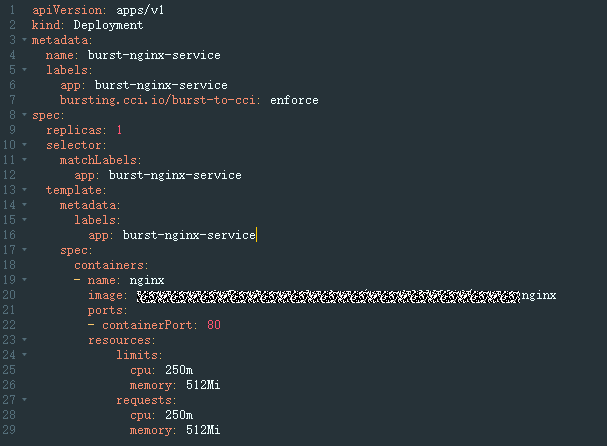
- Configure a Service that uses the same label as the workload. Select Auto create so that a load balancer can be created automatically. This avoids conflicts with the load balancer automatically created for the add-on.
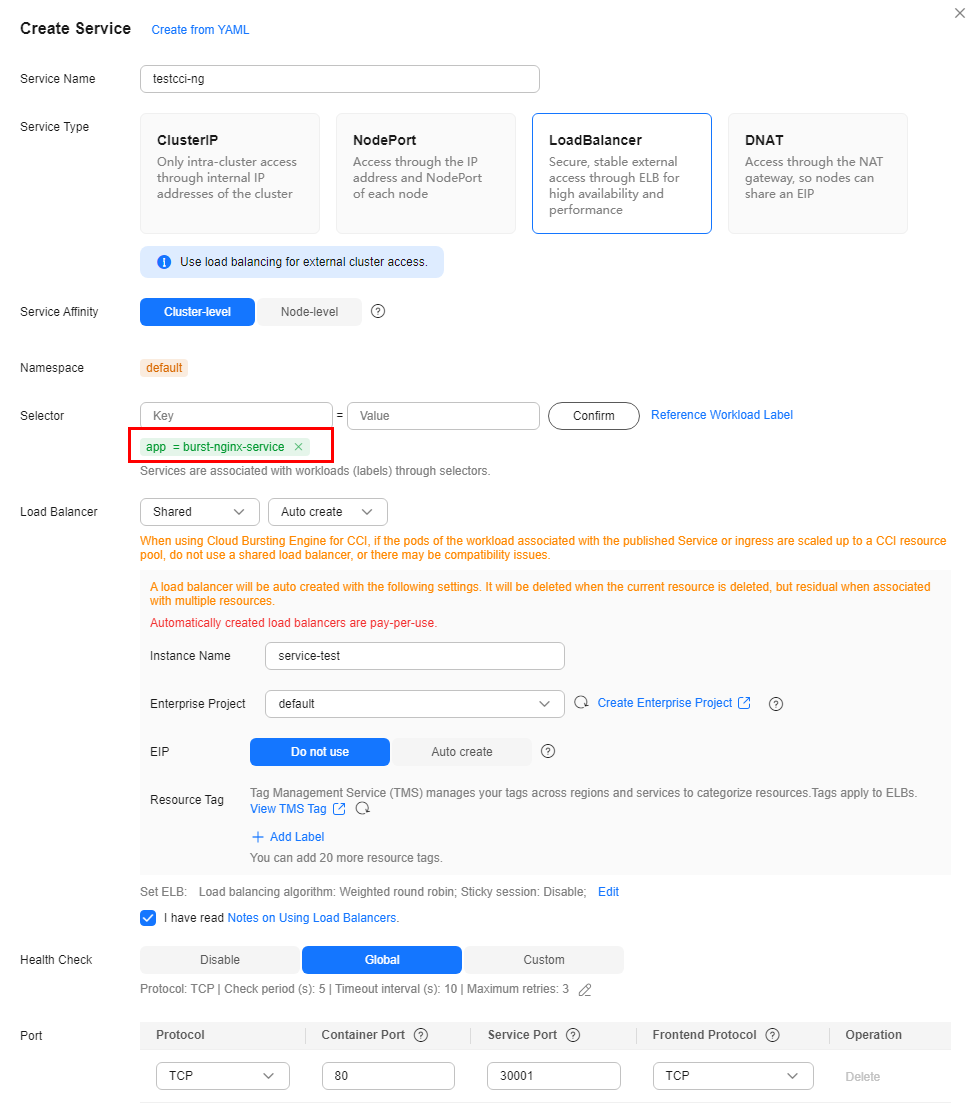
- To facilitate verification, select the nginx image that uses port 80.
- Obtain the access mode of the workload on the CCE console.
- Create a pod in CCE and configure a Service to expose the pod. For details, see 3. Do not configure the bursting.cci.io/burst-to-cci label in metadata.labels.
- Verify network connectivity.
- Enter the pod in CCI, so that this pod can access the Service of the pod in CCE through <Service-name>.<namespace-name>.svc.cluster.local:port. Check whether the pod in CCI can access the pod in CCE through the Service. Figure 1 Service for accessing the pod in CCE
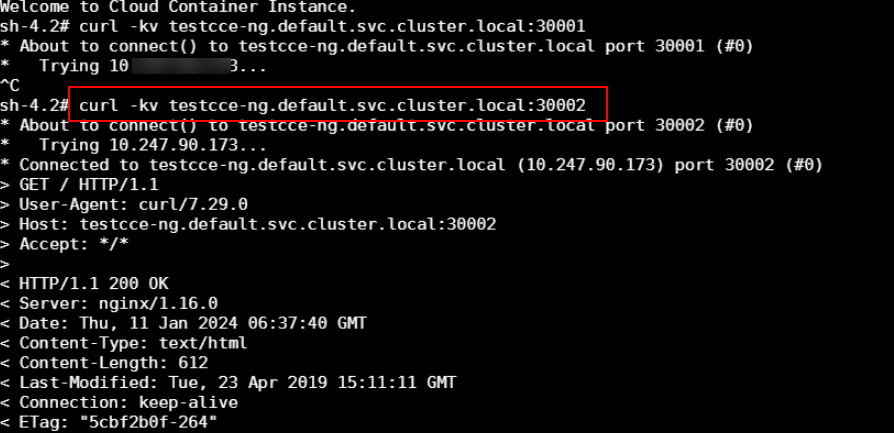
- Enter the pod in CCE, so that the pod can access the Service of the pod in CCI. Check whether the pod in CCE can access the pod in CCI through the Service. Figure 2 Service for accessing the pod in CCI
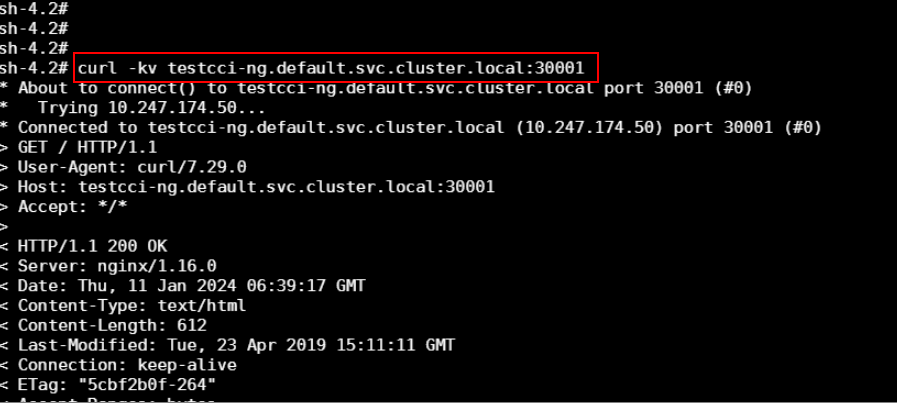
- Enter the pod in CCI, so that this pod can access the Service of the pod in CCE through <Service-name>.<namespace-name>.svc.cluster.local:port. Check whether the pod in CCI can access the pod in CCE through the Service.
Enabling Init Container Networking
By default, init container networking is disabled. To use this feature, take the following steps after you enable networking for the add-on:
- Log in to the CCE console.
- Click the name of the target CCE cluster to go to the cluster Overview page.
- In the navigation pane, choose Add-ons.
- Select the CCE Cloud Bursting Engine for CCI add-on and click Edit. Figure 3 CCE Cloud Bursting Engine for CCI

- Enable Network Connectivity and then click Edit YAML. Figure 4 Editing the add-on

- Set set_proxy_as_first_initcontainer to true. Figure 5 Modifying the parameter
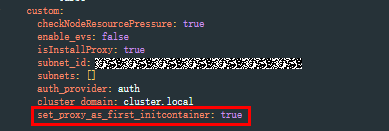
Table 1 Parameters Parameter
Mandatory
Type
Description
set_proxy_as_first_initcontainer
No
Bool
Description: controls whether init container networking is enabled.
Value options:
- false (default): Init container networking is disabled.
- true: Init container networking is enabled.
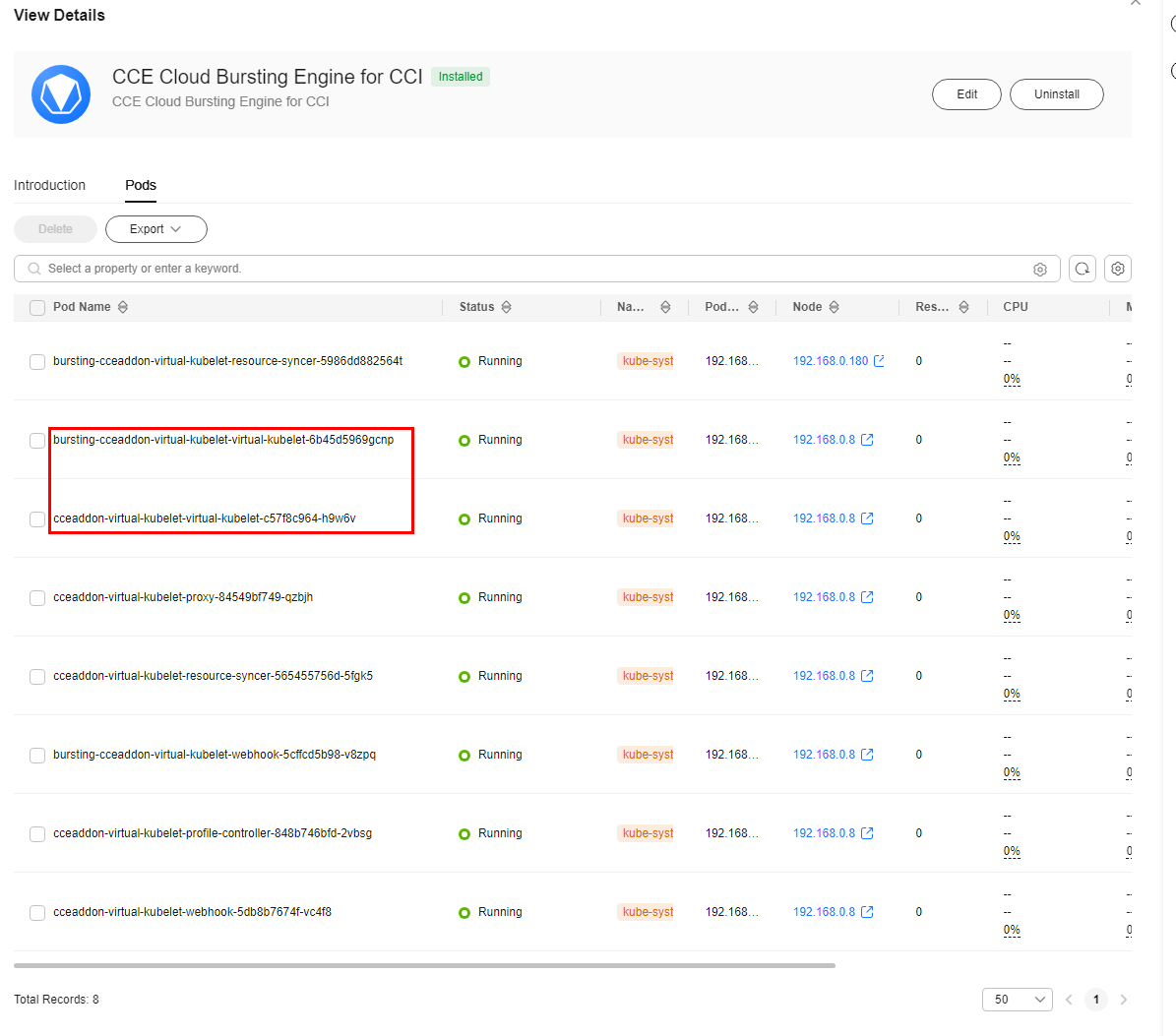
- In the instance list of the add-on, check whether the instance name is bursting-cceaddon-virtual-kubelet-virtual-kubelet-xxx and the status is Running. If yes, the deployment is complete, and networking is normal. Figure 6 Checking the add-on deployment status
What is your overall rating for this page?
0
1
2
3
4
5
6
7
8
9
10
Very dissatisfiedVery satisfied
Thank you very much for your feedback. We will continue working to improve the documentation.See the reply and handling status in My Cloud VOC.
The system is busy. Please try again later.
For any further questions, feel free to contact us through the chatbot.
Chatbot


