

Overview
As data accumulates, your GeminiDB DynamoDB-Compatible instance may run out of storage. You can scale up the storage space of your instance to accommodate data growth. As data volumes decrease, you can scale down storage to avoid low database node utilization and resource waste. Table 1 lists the scaling methods supported by GeminiDB DynamoDB-Compatible instances.
| Method | Supported Deployment Type | Description |
|---|---|---|
| Manually Scaling Up Storage of a GeminiDB DynamoDB-Compatible Instance |
| You can specify how much storage space needs to be added.
|
| Configuring Storage Autoscaling for a GeminiDB DynamoDB-Compatible Instance |
| If storage usage exceeds the configured threshold, autoscaling will be triggered. The storage is scaled up by a percentage you specify. The added storage space is the current storage space multiplied by the scaling increment. |
| Manually Scaling Down Storage of a GeminiDB DynamoDB-Compatible Instance |
| You can specify the amount of storage to be reduced.
The target storage after scale-down must be at least 125% of the used storage. The value is rounded up. |
Manually Scaling Up Storage Space
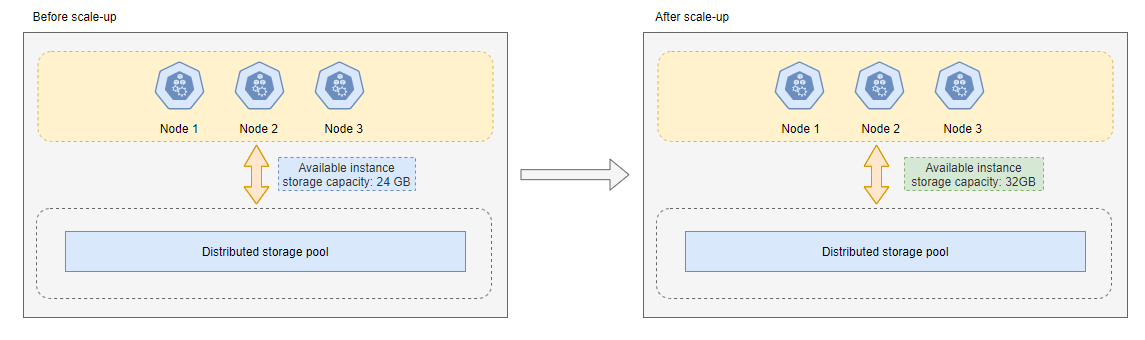
For example, if the original storage of a cluster instance with classic storage is 24 GB and 8 GB is added, the total storage becomes 32 GB.
Configuring Storage Autoscaling for an Instance
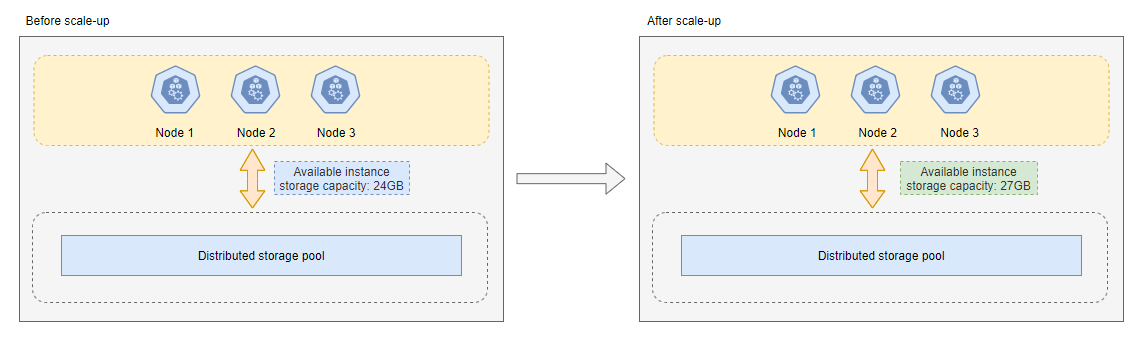
For example, if the original storage of a cluster instance with classic storage is 24 GB, the storage usage threshold for triggering autoscaling is 80%, and the autoscaling increment is 10%, the storage is automatically scaled up when usage reaches or exceeds 80%. The scale-up amount is 2.4 GB (24 GB × 10%), rounded up to 3 GB, bringing the total storage to 27 GB (24 + 3).
Manually Scaling Down Storage Space
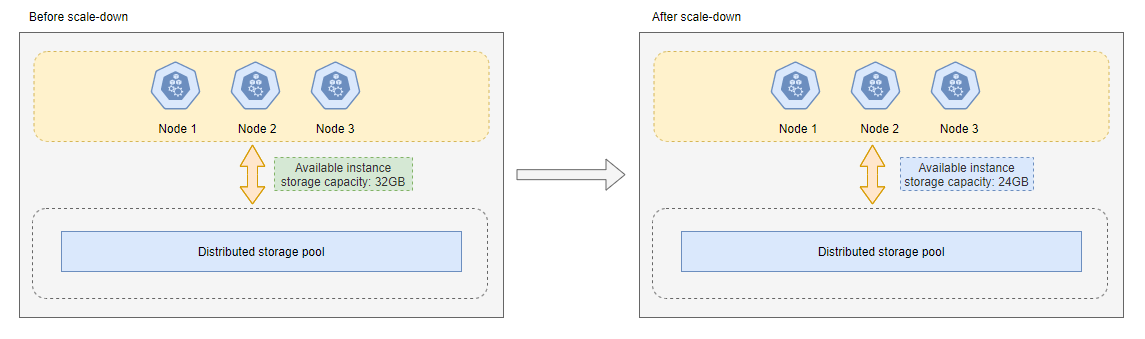
For example, if the original storage of a cluster instance with classic storage is 32 GB and 8 GB is removed, the total storage becomes 24 GB.
What is your overall rating for this page?
Thank you very much for your feedback. We will continue working to improve the documentation.See the reply and handling status in My Cloud VOC.
For any further questions, feel free to contact us through the chatbot.
Chatbot


