

Help Center/ GeminiDB/ GeminiDB DynamoDB-Compatible API/ Working with GeminiDB DynamoDB-Compatible API/ GeminiDB Serverless/ Enabling GeminiDB Serverless
Updated on 2026-09-23 GMT+08:00
Enabling GeminiDB Serverless
You need to enable GeminiDB Serverless before using it.
Usage Notes
- You can use Serverless of GeminiDB DynamoDB-Compatible API only in the default project.
- Only standard tables of GeminiDB DynamoDB-Compatible instances can be created.
- Only the new IAM permission authentication mode is supported.
Enabling Authorization
- Log in to the GeminiDB console.
- In the navigation pane, choose Serverless > DynamoDB-compatible.
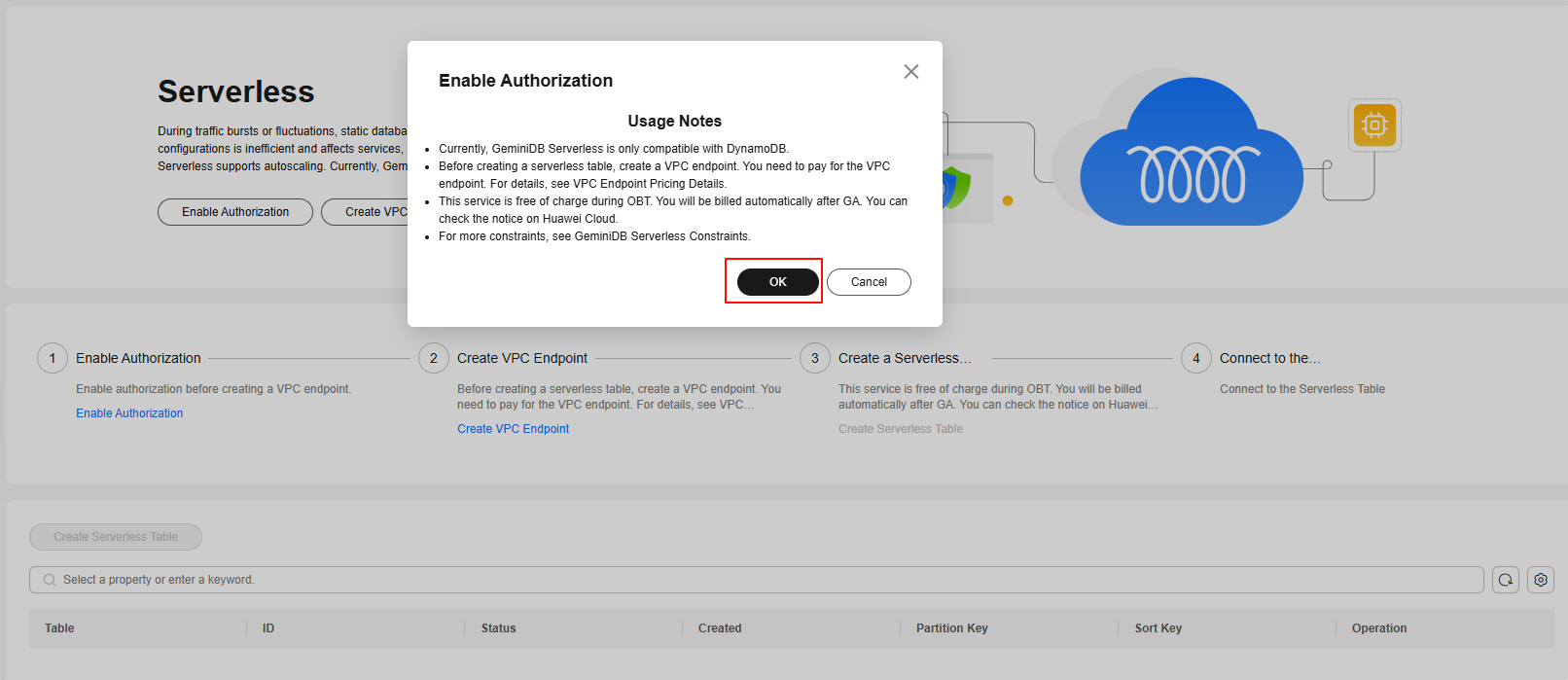
- Read the Serverless usage notes and click OK to enable Serverless. Figure 1 Enabling Serverless
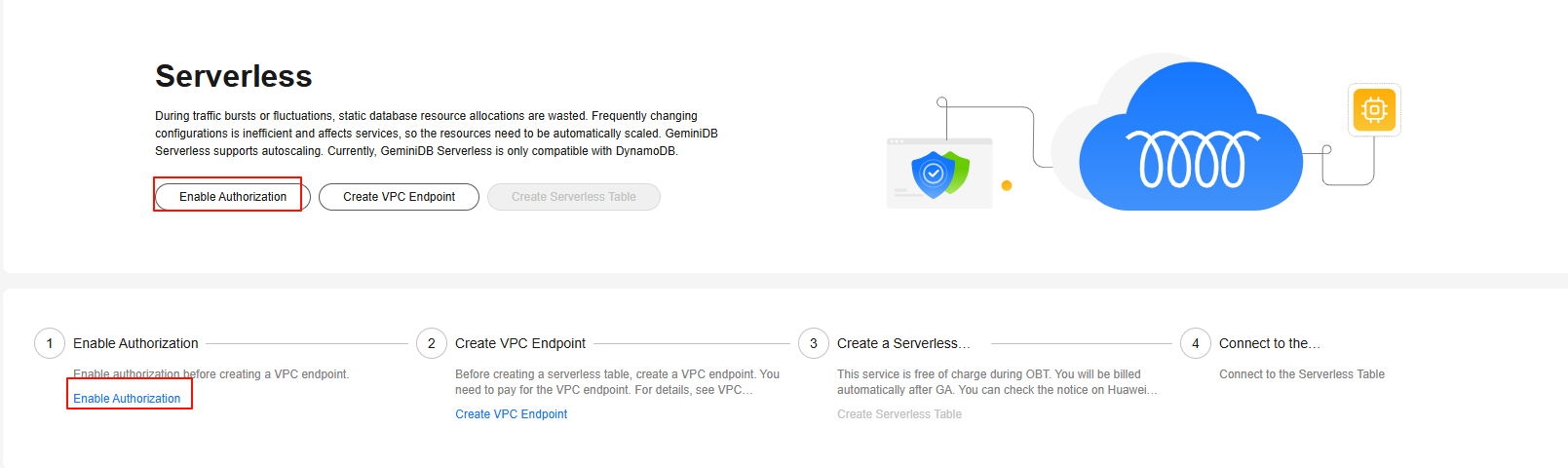
- If you click Cancel and want to enable it later, click Enable Authorization or refresh the page and click OK. Figure 2 Enabling authorization
Follow-up Operations
What is your overall rating for this page?
0
1
2
3
4
5
6
7
8
9
10
Very dissatisfiedVery satisfied
Thank you very much for your feedback. We will continue working to improve the documentation.See the reply and handling status in My Cloud VOC.
The system is busy. Please try again later.
For any further questions, feel free to contact us through the chatbot.
Chatbot


