

Help Center/ DataArts Studio/ FAQs/ DataArts Migration (CDM Jobs)/ How Do I Interconnect CDM with LakeFormation?
Updated on 2025-11-17 GMT+08:00
How Do I Interconnect CDM with LakeFormation?

Currently, only MRS Hive can be interconnected with LakeFormation.
- Configuration method for CDM jobs:
- When creating a Hive data connection: If you want to interconnect Hive with LakeFormation, select Yes for OBS storage support and set the OBS AK/SK. Retain the same settings for other parameters as those if you do not want to interconnect Hive with LakeFormation. Figure 1 Setting OBS parameters

- In attribute configuration, add the lakeformation.authentication.iam.apig.proxy.endpoint attribute and obtain its value from MRS.
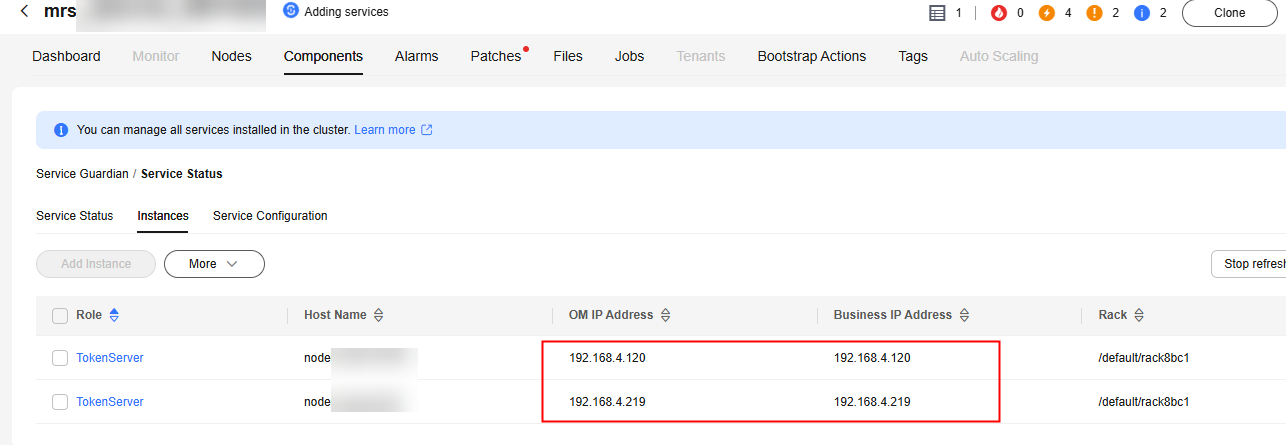
- In the MRS cluster, locate the node where the Guardian component tokenserver is located and log in to the node. Figure 2 Locating the node where the Guardian component tokenserver is located
- Locate the token-server.xml file (by running the find / -name token-server.xml command) and run the grep proxy token-server.xml command to query the endpoint value, which is the value of lakeformation.authentication.iam.apig.proxy.endpoint. Figure 3 Locating the token-server.xml file
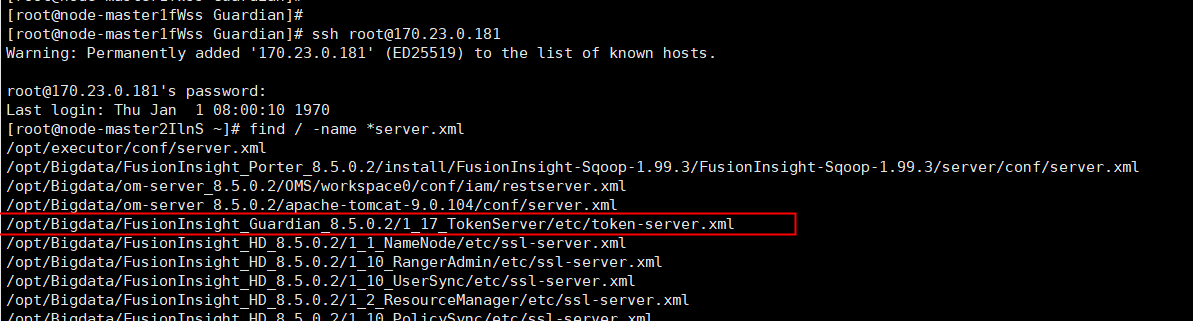 Figure 4 Querying the endpoint value

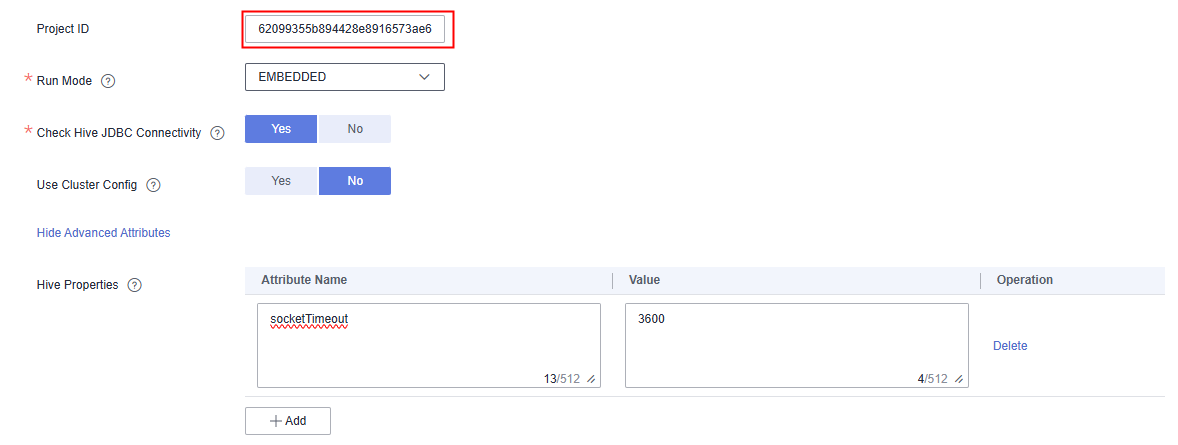
- In the attribute configuration, add the lakeformation.authentication.iam.apig.proxy.endpoint attribute and set the endpoint value. Figure 5 Setting the endpoint value
- In the MRS cluster, locate the node where the Guardian component tokenserver is located and log in to the node.
- When creating a Hive data connection: If you want to interconnect Hive with LakeFormation, select Yes for OBS storage support and set the OBS AK/SK. Retain the same settings for other parameters as those if you do not want to interconnect Hive with LakeFormation.
- Configuration method for offline jobs:
- When creating a Hive data connection: If you want to interconnect Hive with LakeFormation, select Yes for OBS storage support and set the OBS AK/SK. Retain the same settings for other parameters as those if you do not want to interconnect Hive with LakeFormation. Figure 6 Setting OBS parameters

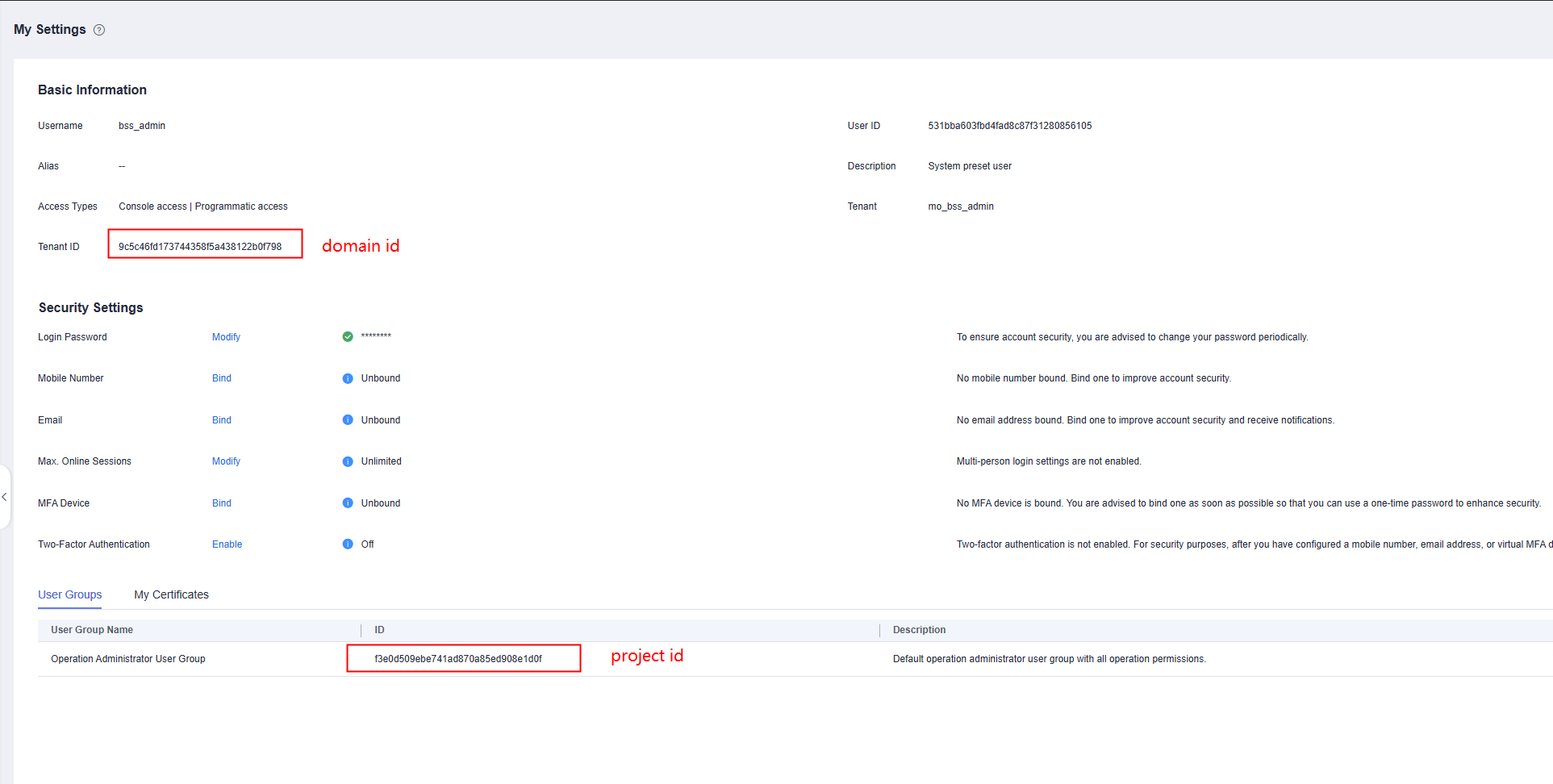
- In the attribute configuration, add the lakeformation.authentication.iam.apig.proxy.endpoint and lakeformation.authentication.project.id attributes. Obtain the value of lakeformation.authentication.iam.apig.proxy.endpoint by referring to step 2. Obtain the value of lakeformation.authentication.project.id from the personal center, as shown in the following figure. Figure 7 Obtaining project.id
- When creating a Hive data connection: If you want to interconnect Hive with LakeFormation, select Yes for OBS storage support and set the OBS AK/SK. Retain the same settings for other parameters as those if you do not want to interconnect Hive with LakeFormation.
Parent topic: DataArts Migration (CDM Jobs)
What is your overall rating for this page?
0
1
2
3
4
5
6
7
8
9
10
Very dissatisfiedVery satisfied
Thank you very much for your feedback. We will continue working to improve the documentation.See the reply and handling status in My Cloud VOC.
The system is busy. Please try again later.
For any further questions, feel free to contact us through the chatbot.
Chatbot


