

Help Center/ Relational Database Service_RDS for SQL Server/ User Guide/ Parameters/ Managing Parameter Templates/ Viewing Application Records of a Parameter Template
Updated on 2026-09-11 GMT+08:00
Viewing Application Records of a Parameter Template
Scenarios
You can view the application records of a parameter template.
Procedure
- Log in to the RDS console.
- Click
 in the upper left corner and select a region.
 - In the navigation pane, choose Parameter Templates.
- On the Default Templates or Custom Templates page, locate the target parameter template and choose More > View Application Record in the Operation column.
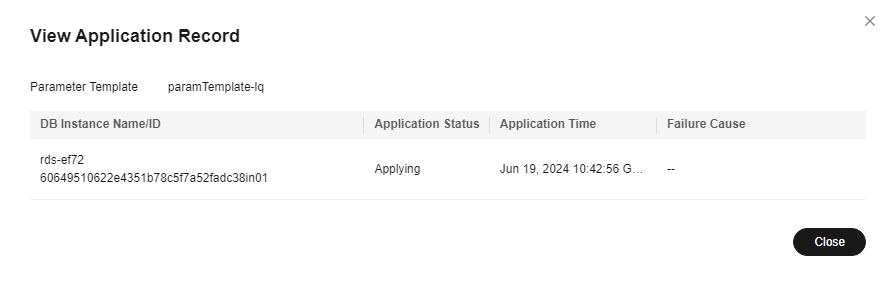
You can view the name or ID of the DB instance that the parameter template applies to, as well as the application status, application time, and failure cause (if failed).
Figure 1 Viewing application records of a parameter template
What is your overall rating for this page?
0
1
2
3
4
5
6
7
8
9
10
Very dissatisfiedVery satisfied
Thank you very much for your feedback. We will continue working to improve the documentation.See the reply and handling status in My Cloud VOC.
The system is busy. Please try again later.
For any further questions, feel free to contact us through the chatbot.
Chatbot


