

Previewing External Access in a Trust Agency
Beyond identifying resources shared with external entities in your account, the access analyzer allows you to preview analysis findings before committing resource permission changes. By previewing external access details, you can evaluate the precise impact of policy modifications. This ensures that you grant access exclusively to authorized external principals when updating your trust policies.
Constraints
- Currently, you can only preview and verify external access for IAM trust agencies.
- Currently, only account-level external analyzers support external access preview of IAM trust agencies.
Procedure
- Log in to the new IAM console.
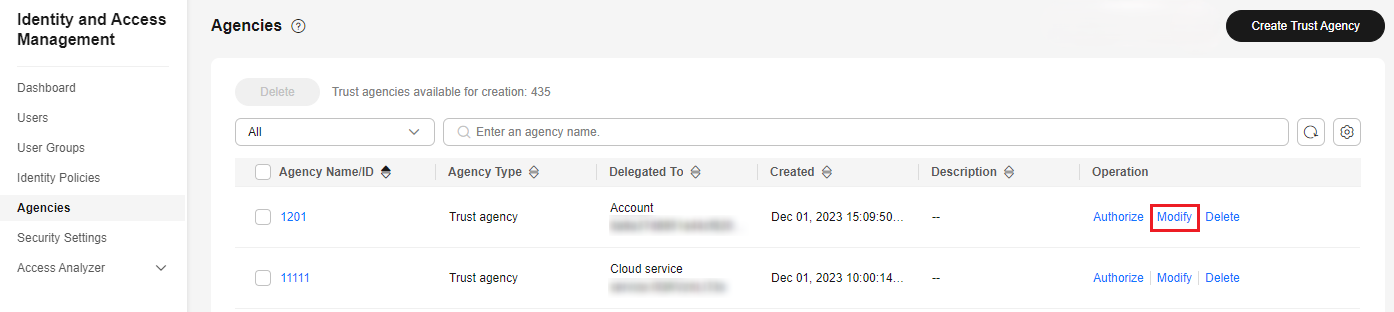
- In the navigation pane, choose Agencies. Locate the target agency and click Modify in the Operation column. Figure 1 Modifying a trust agency
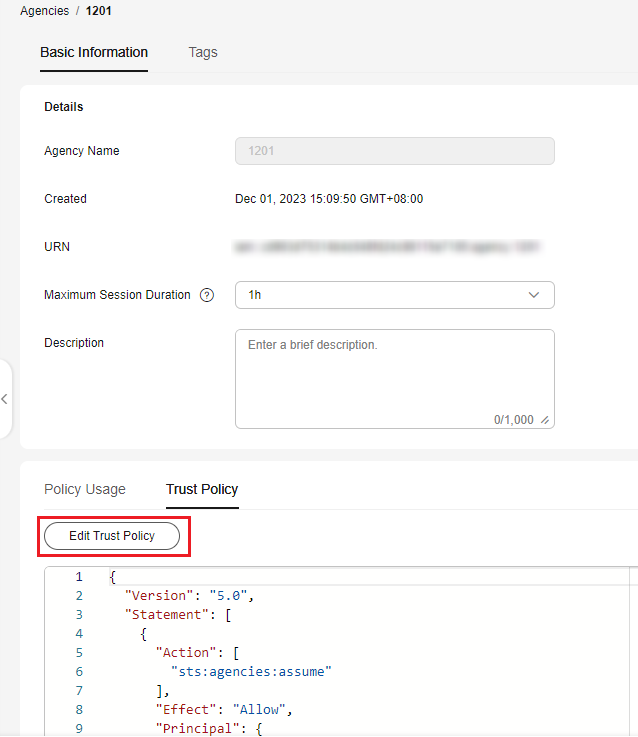
- In the lower part of the Basic Information page, locate the Trust Policy tab and click Edit Trust Policy. Figure 2 Editing a trust policy
- In the lower part corner of the displayed page, click Preview Access. Figure 3 Previewing external access
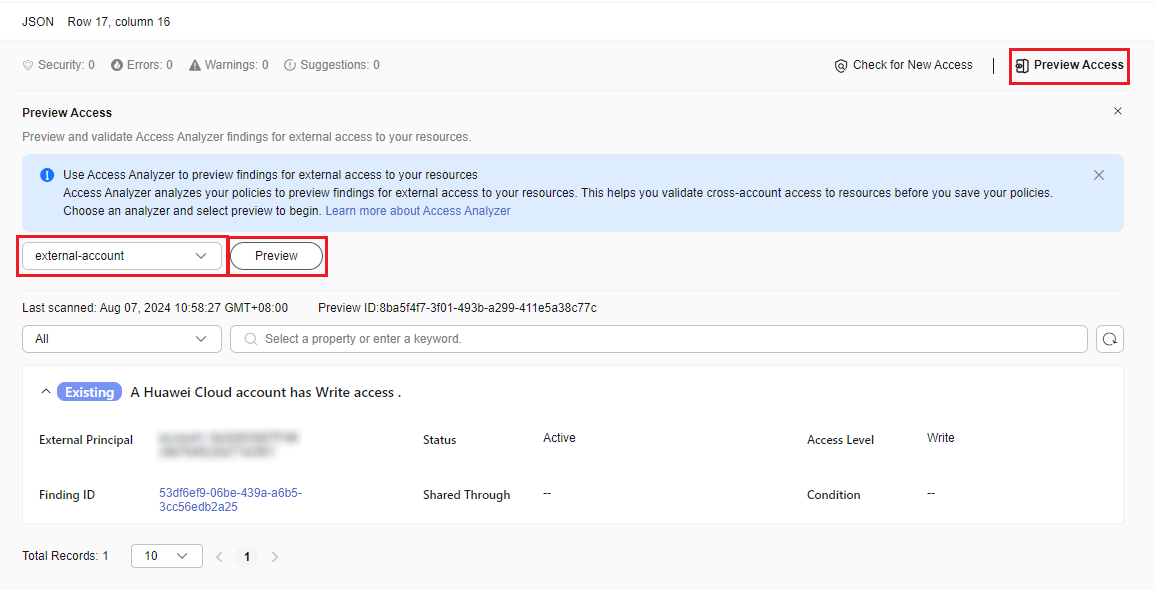
- Select an analyzer in the Preview External Access area and click Preview.
The access analyzer analyzes the policy and displays the findings of external access. You can adjust the trust policy based on the findings before saving the trust policy.
- (Optional) Expand each finding to review the finding details and validate access.
You can select from the following types of findings:
- All: indicates all findings for external access after the trust policy is modified.
- New: indicates that a finding for new external access would be introduced after the trust policy is modified.
- Resolved: indicates that an active finding for external access would be resolved after the trust policy is modified.
- Archived: indicates that a finding for new external access would be automatically archived based on the archive rules after the trust policy is modified.
- Existing: indicates that a finding for external access would remain unchanged after the trust policy is modified.
- Click OK.
What is your overall rating for this page?
Thank you very much for your feedback. We will continue working to improve the documentation.See the reply and handling status in My Cloud VOC.
For any further questions, feel free to contact us through the chatbot.
Chatbot


