

Help Center/ Cloud Container Instance (CCI)/ User Guide/ Using CCI Through the Console/ Workload Management/ Web Terminal
Updated on 2026-09-09 GMT+08:00
Web Terminal
The web terminal allows you to log in to a running container through the console in interactive mode. This provides a convenient way to run commands, view the environment, and quickly troubleshoot container issues.
Constraints
- By default, sh is used for login, so containers must support sh.
- You can only log in to running containers using the terminal.
- To exit the terminal, you need to enter exit, or the sh process will not be terminated.
Connecting to the Container Using the Terminal
- Log in to the CCI 2.0 console.
- In the navigation pane, choose Workloads. Then click the Pods tab.
- Locate the target pod and click View Terminal in the Operation column.
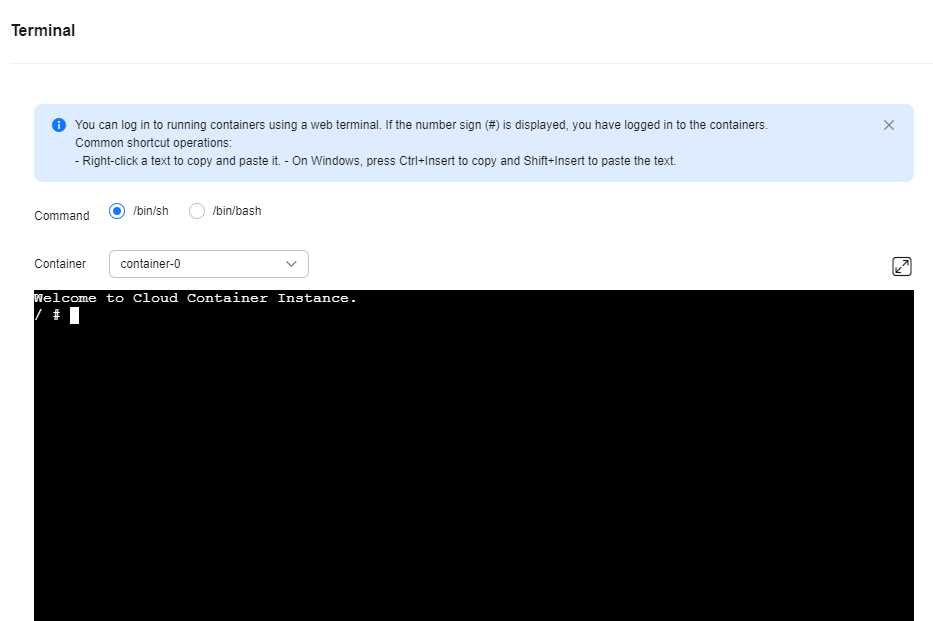
If # is displayed, the login is successful.
Figure 1 Terminal
What is your overall rating for this page?
0
1
2
3
4
5
6
7
8
9
10
Very dissatisfiedVery satisfied
Thank you very much for your feedback. We will continue working to improve the documentation.See the reply and handling status in My Cloud VOC.
The system is busy. Please try again later.
For any further questions, feel free to contact us through the chatbot.
Chatbot


