

Help Center/ CodeArts Agent/ FAQs/ Agent/ How Do I Save an Image Generated by Mermaid to My Local PC?
Updated on 2026-10-23 GMT+08:00
How Do I Save an Image Generated by Mermaid to My Local PC?
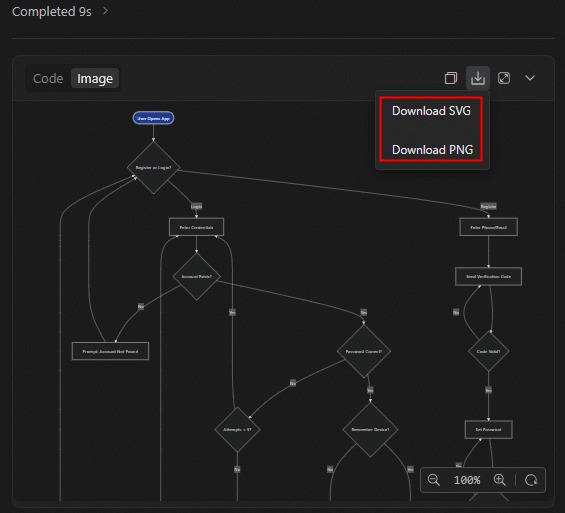
Images generated by Mermaid in a chat can be saved to a local PC in SVG or PNG format. To do so, perform the following steps:
- In the chat, find the image you want to save to your local PC.
- Switch to the Image tab, click
 , and select the desired format to download the image to your local PC. Figure 1 Downloading an image to your local PC
What is your overall rating for this page?
0
1
2
3
4
5
6
7
8
9
10
Very dissatisfiedVery satisfied
Thank you very much for your feedback. We will continue working to improve the documentation.See the reply and handling status in My Cloud VOC.
The system is busy. Please try again later.
For any further questions, feel free to contact us through the chatbot.
Chatbot


