

Creating a General-Purpose File System
You can create a general-purpose file system and mount it to multiple cloud servers. The servers can then share this file system.
In the SAP HANA system, if the backup volume is provided by general-purpose file system, you can create a general-purpose file system to provide a shared path for SAP HANA ECSs.
Two General-Purpose File System are created and attached to the active and standby SAP HANA nodes, respectively. You need to create three general-purpose file systems and respectively mount them to /sapcd, /sapmnt and /usr/sap/trans on the active and standby SAP S/4HANA nodes. For more information about General-Purpose File System, see Creating a General-Purpose File System.
Procedure
- Click
 in the navigation pane on the left, and choose Scalable File Service under Storage.
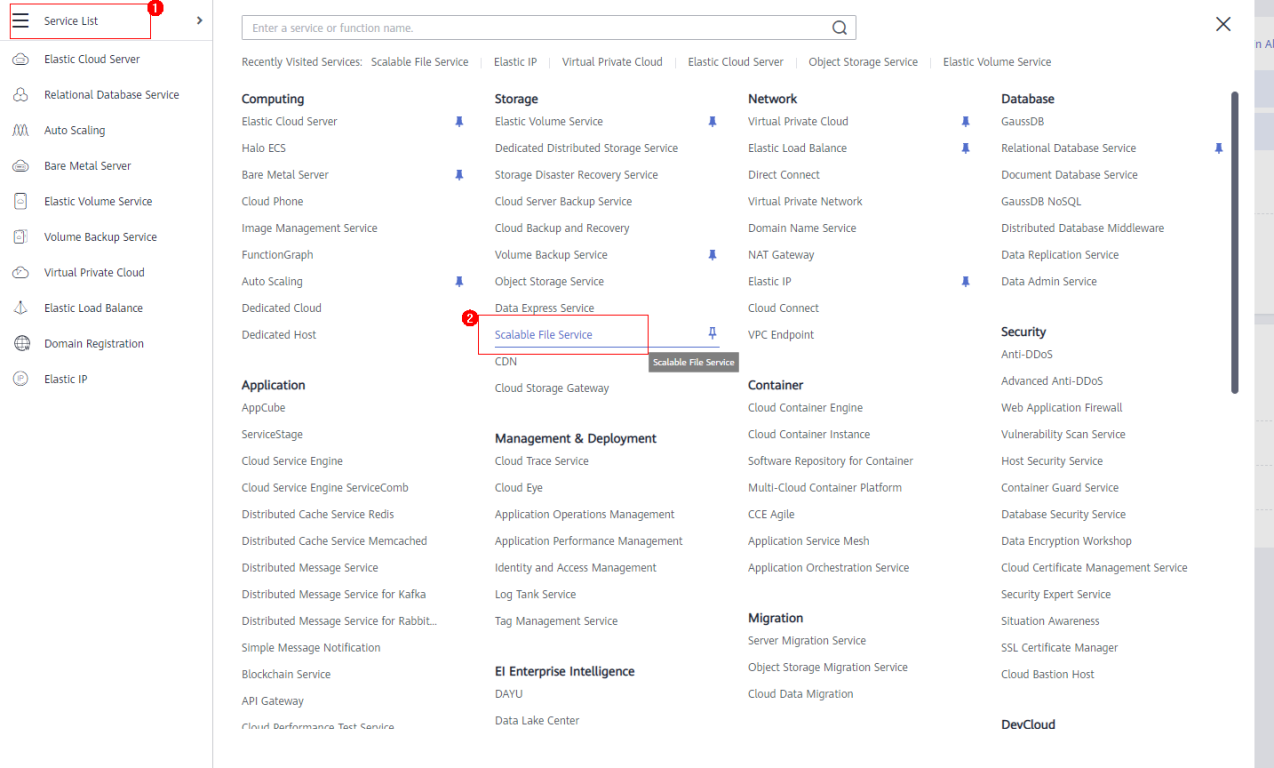
- Click Create File System. Set required parameters on the displayed page based on Table 1.
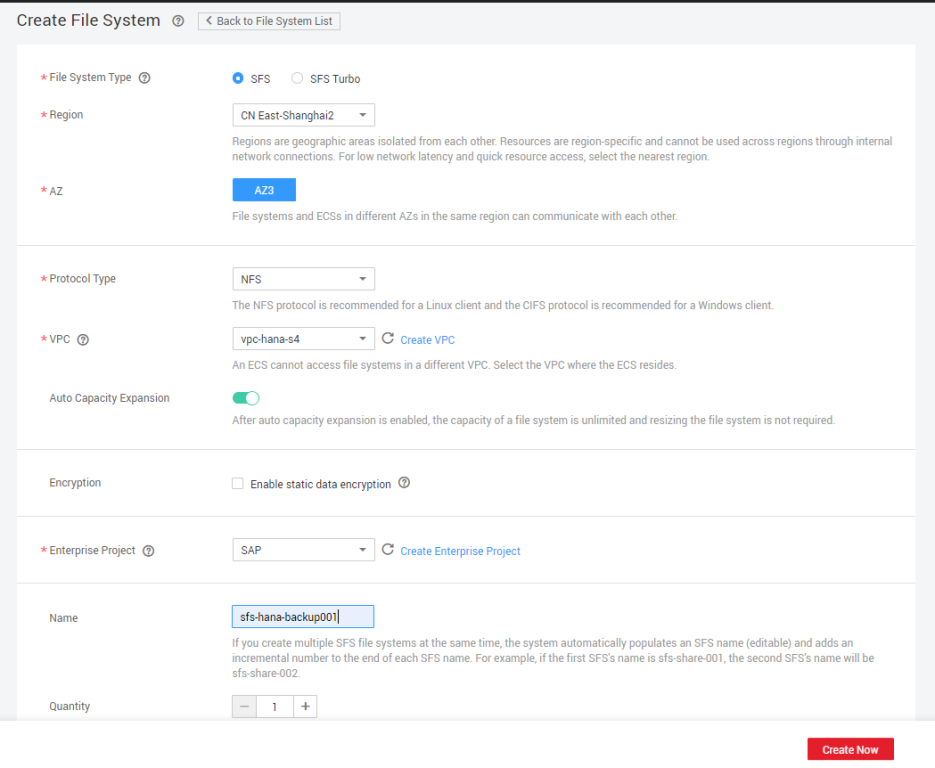
Table 1 Parameter description Parameter
Description
File System Type
Select the type of the file system to be created.
Region
Select the target region.
AZ
Specifies the AZ where the file system is located. Select your desired AZ.
Protocol Type
Specifies the protocol type. Select NFS.
Authorization
You can select By VPC or By replication.
By VPC: Select the VPC where the ECSs and VPC endpoint reside. An ECS cannot access a file system in a different VPC. Select the VPC where your ECSs reside. You can add VPCs later on the file system details page.
By replication: This option is available after you select to replicate settings from a source file system. If you select authorization by replication, you can go to the source file system's details page to view the replicated permissions.
VPC
Select vpc-hana-s4 for SAP HANA.
Enterprise Project
Select the target project.
Name
Specifies the file system name.
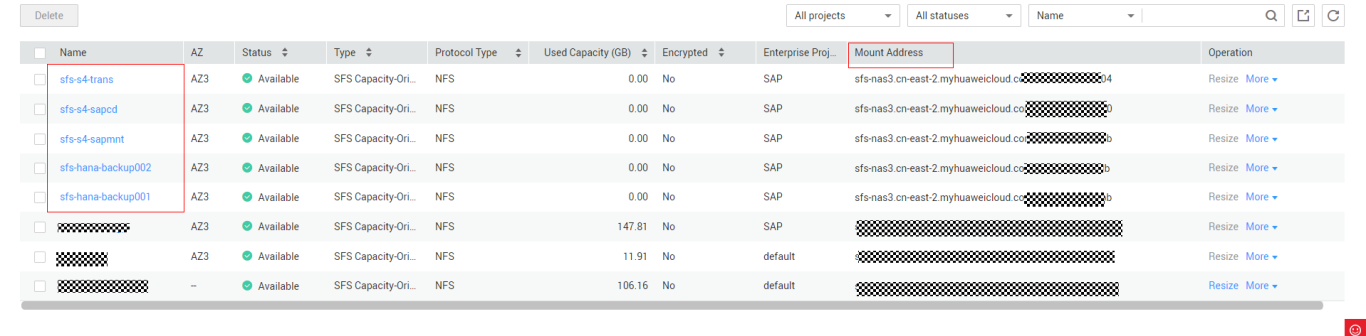
- Click Create Now. Confirm the file system information and click Submit on the displayed page. You can locate the created file system using its name in the file system list. In the Shared Path column, query the shared path.
- Repeat 2 and 3 to create other General-Purpose File System.
- Create a General-Purpose File System saphana-backup02 and mount it to the /hana/backup directory on the standby SAP HANA node.

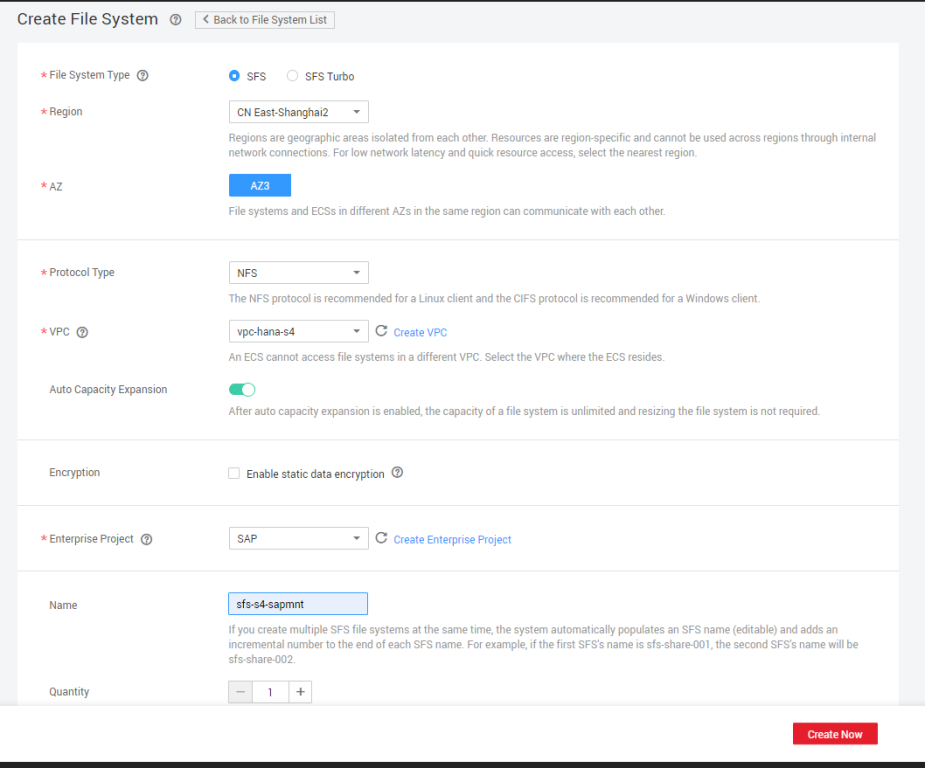
- Create a General-Purpose File System saps4-sapmnt and mount it to the /sapmnt directory on the active and standby SAP S/4HANA nodes.
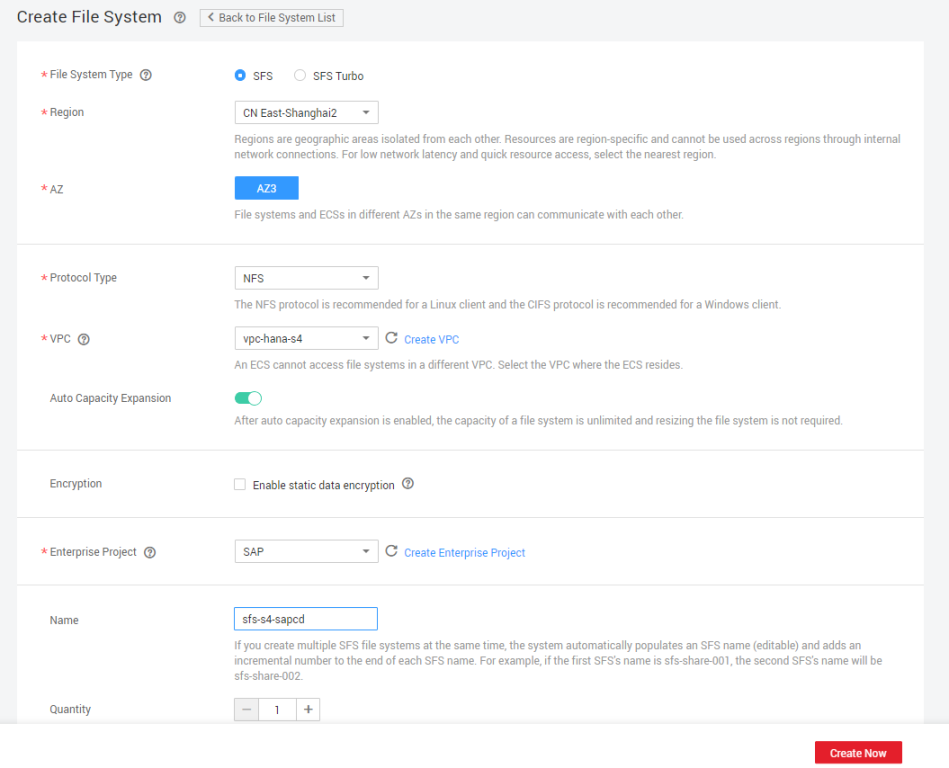
- Create a General-Purpose File System saps4-sapcd and mount it to the /sapcd directory on the active and standby SAP S/4HANA nodes.
- Create a General-Purpose File System saps4-trans and mount it to the /usr/sap/trans directory on the active and standby SAP S/4HANA nodes.
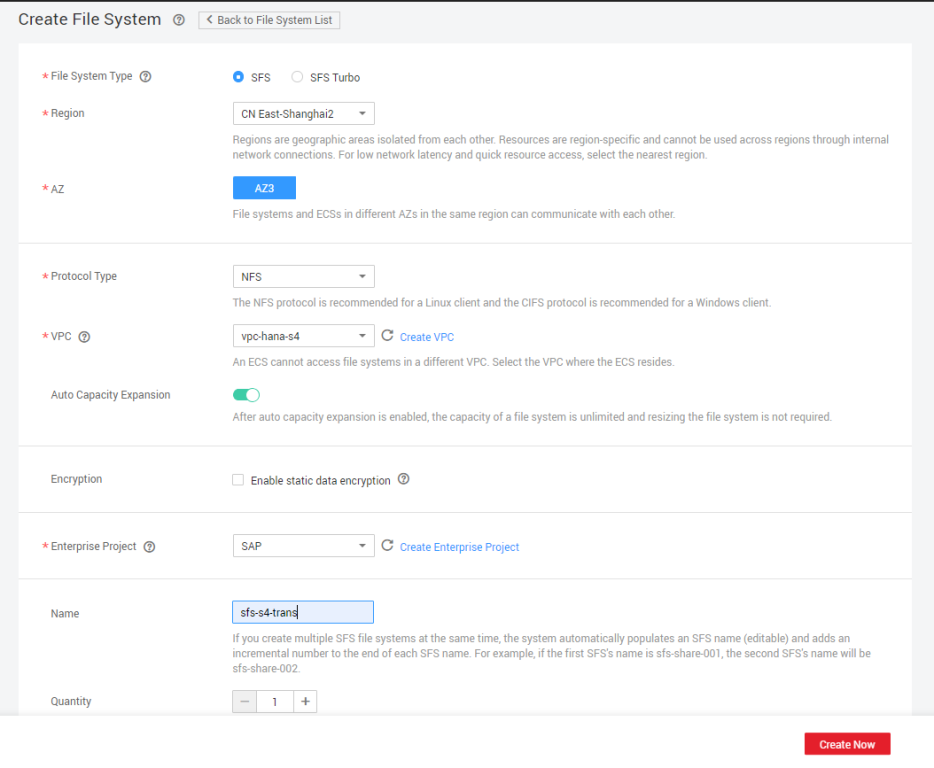
- Create a General-Purpose File System saphana-backup02 and mount it to the /hana/backup directory on the standby SAP HANA node.
- The following figure shows the details about the created General-Purpose File System.
What is your overall rating for this page?
Thank you very much for your feedback. We will continue working to improve the documentation.See the reply and handling status in My Cloud VOC.
For any further questions, feel free to contact us through the chatbot.
Chatbot


