

Updated on 2026-01-26 GMT+08:00
Viewing Account Details
You can view the details of accounts in your organization at any time by following the steps below.
- Log in to the Organizations console as an organization administrator or using the management account and access the Organization page.
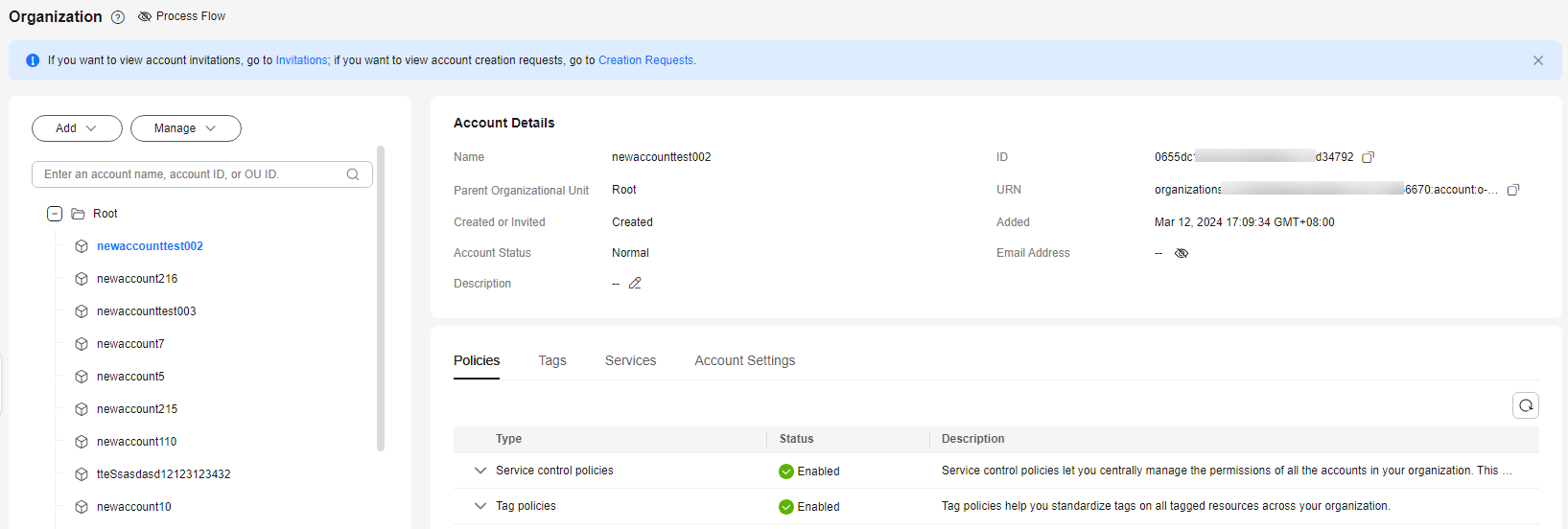
- Select the account you want to view. Its details are displayed in the pane on the right, including the account name, ID, home OU, URN, how and when the account joined the organization, when the account was created, account status, email address, account description, attached policies, tags, and delegated services. Figure 1 Viewing account details
Parent topic: Managing Accounts
What is your overall rating for this page?
0
1
2
3
4
5
6
7
8
9
10
Very dissatisfiedVery satisfied
Thank you very much for your feedback. We will continue working to improve the documentation.
The system is busy. Please try again later.


