

Updated on 2025-07-17 GMT+08:00
Deleting an OU
You can delete an OU that is no longer needed.

You cannot delete an OU if it contains other OUs or accounts.
- Log in to Huawei Cloud as the organization administrator or using the management account, navigate to the Organizations console, and access the Organization page.
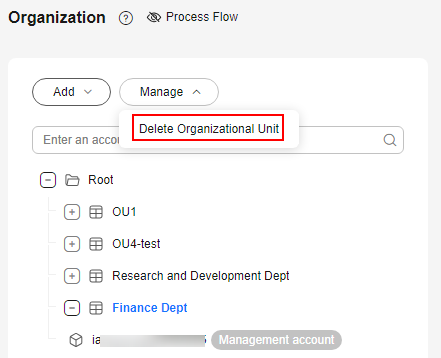
- Click the OU you want to delete and click Manage above the OU tree.
- Choose Delete Organizational Unit. In the displayed dialog box, click OK. Figure 1 Deleting an OU
Parent topic: Managing OUs
What is your overall rating for this page?
0
1
2
3
4
5
6
7
8
9
10
Very dissatisfiedVery satisfied
Thank you very much for your feedback. We will continue working to improve the documentation.
The system is busy. Please try again later.


