

Help Center/ Data Admin Service/ User Guide/ TaurusDB/ Intelligent O&M/ Performance/ Real-Time Diagnosis
Updated on 2025-03-24 GMT+08:00
Real-Time Diagnosis
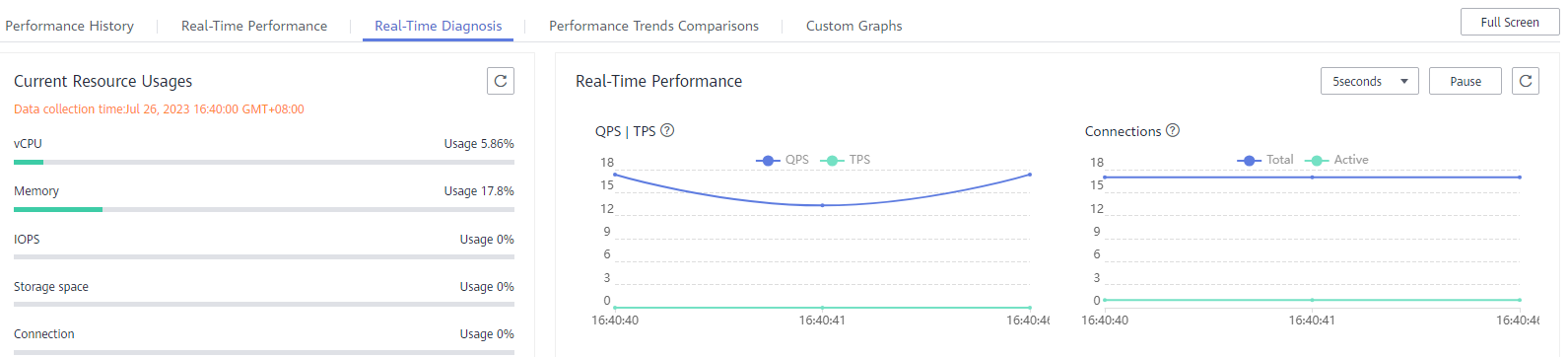
DAS allows you to use the real-time diagnosis function to view overall performance of your instance and identify exceptions quickly.
Procedure
- Click
 in the upper left corner and select a region and project.
 - Click
 in the upper left corner, and under Databases, click Data Admin Service.
 - In the navigation pane, choose Intelligent O&M > Instance List.
- In the upper right corner of the Instance List page, search for instances by engine type, instance name, or instance IP.
- Locate the instance whose real-time diagnosis details you want to view and click Details.
- Choose .
- View CPU, memory, IOPS, storage space, and connection usages of your instance.
Parent topic: Performance
What is your overall rating for this page?
0
1
2
3
4
5
6
7
8
9
10
Very dissatisfiedVery satisfied
Thank you very much for your feedback. We will continue working to improve the documentation.
The system is busy. Please try again later.


