

Help Center/ Server Migration Service/ FAQs/ Migration or Synchronization Failures/ What Do I Do If the SMS-Agent Exits Suddenly and Disconnects a Windows Source Server from the SMS Console During a Migration?
Updated on 2025-11-06 GMT+08:00
What Do I Do If the SMS-Agent Exits Suddenly and Disconnects a Windows Source Server from the SMS Console During a Migration?
Symptom
During the migration, the Windows source server was suddenly disconnected from the SMS console. It was found that the SMS-Agent program exited the source server.
Possible Causes
The SMS-Agent program may exit if the Customer Experience Improvement Program on the source server is turned on.
- Check the disconnection time in the SMS-Agent migration logs stored in C:\SMS-Agent-Py3\SmsAgent_Info.log.

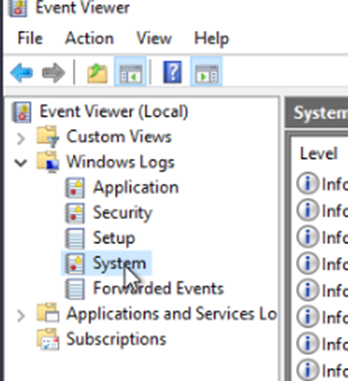
- On the source server, open Event Viewer > Windows Logs > System.
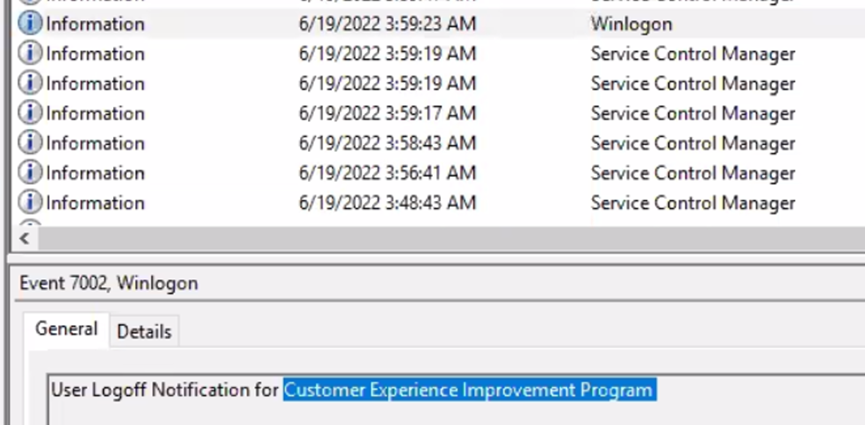
- In the system logs, check the log generated at the SMS-Agent disconnection time. The log says that the source server was automatically restarted due to a user logout notification for the Customer Experience Improvement Program.
Solution
Turn off the Customer Experience Improvement Program.
- On the source server, open the Run window, enter gpedit.msc, and click OK.
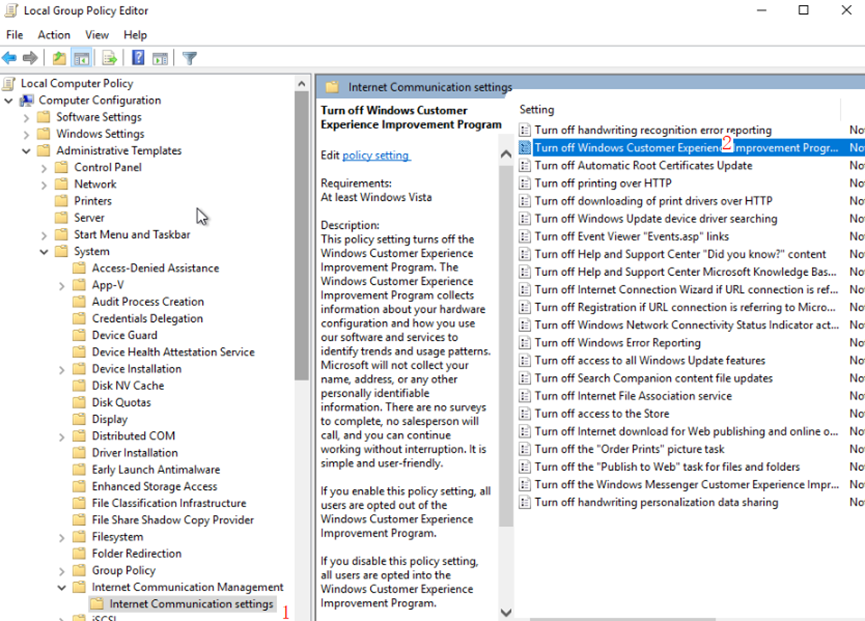
- In the navigation tree, choose Computer Configuration > Administrative Templates > System > Internet Communication Management > Internet Communication settings, and locate Turn off Windows Customer Experience Improvement Program.
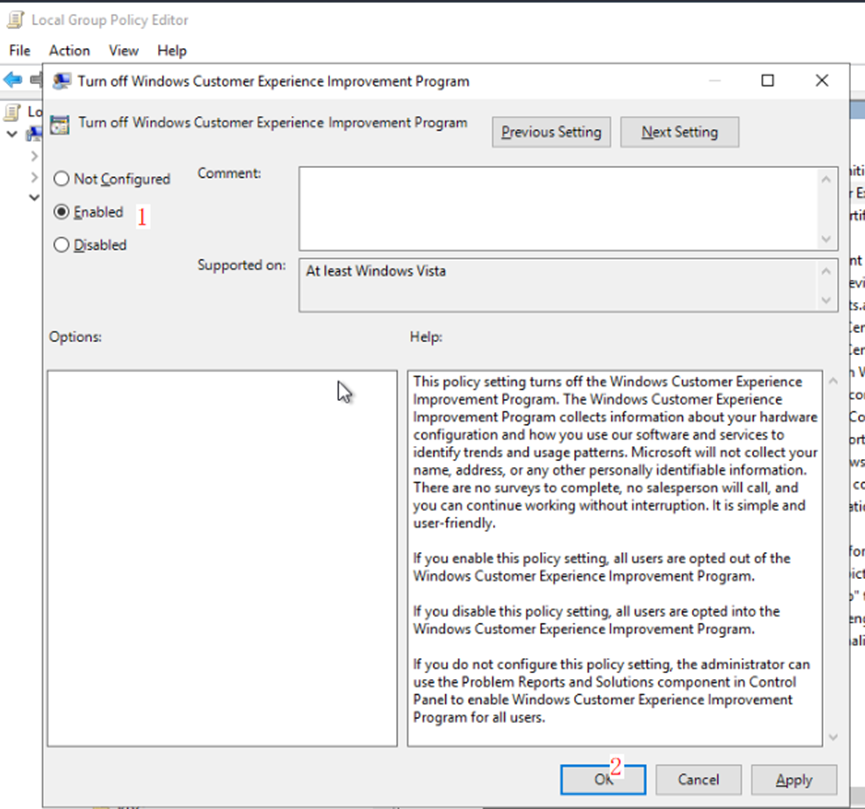
- Double-click Turn off Windows Customer Experience Improvement Program. In the displayed window, select Enabled and click OK.
- Open Computer Management. Choose System Tools > Task Scheduler Library > Microsoft > Windows > Customer Experience Improvement Program, and disable all tasks.
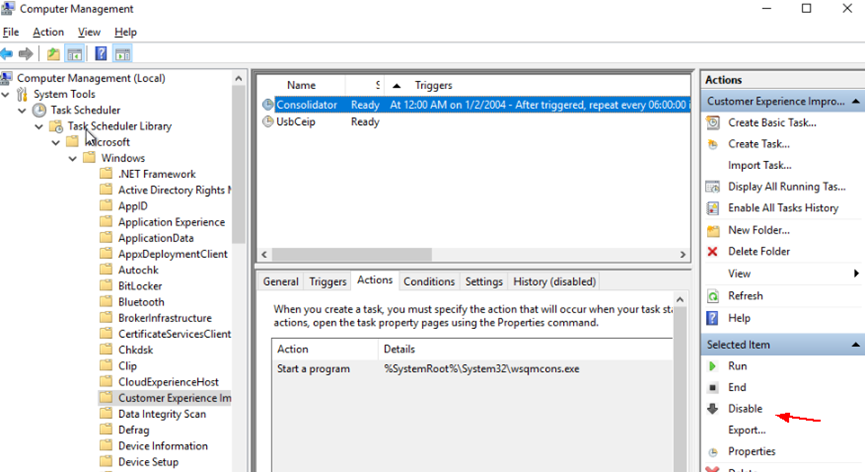
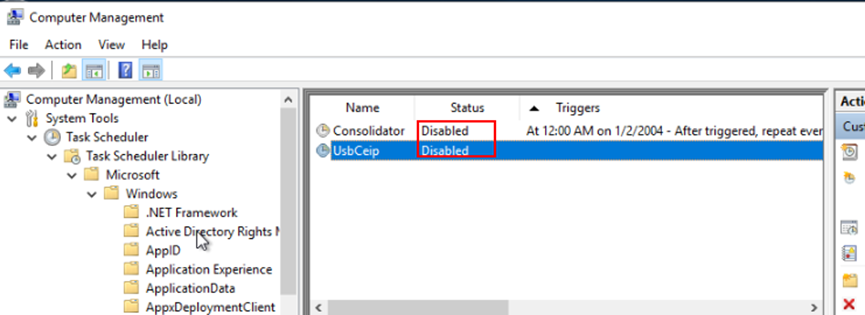
- Choose System Tools > Task Scheduler Library > Microsoft > Windows > Application Experience, and disable all tasks.
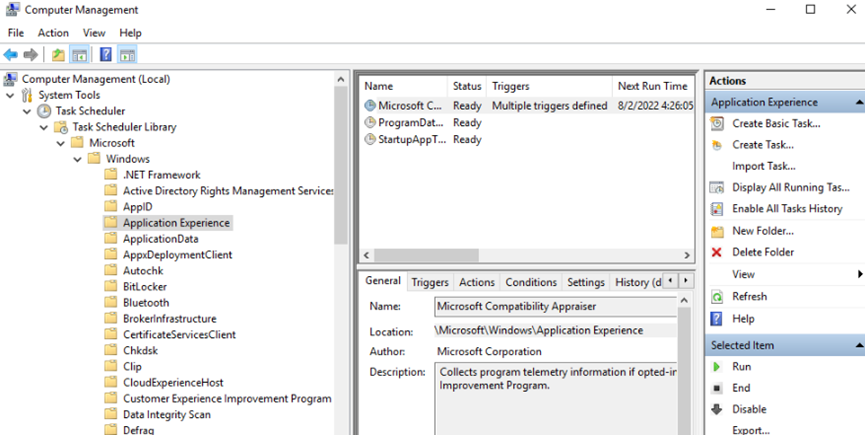
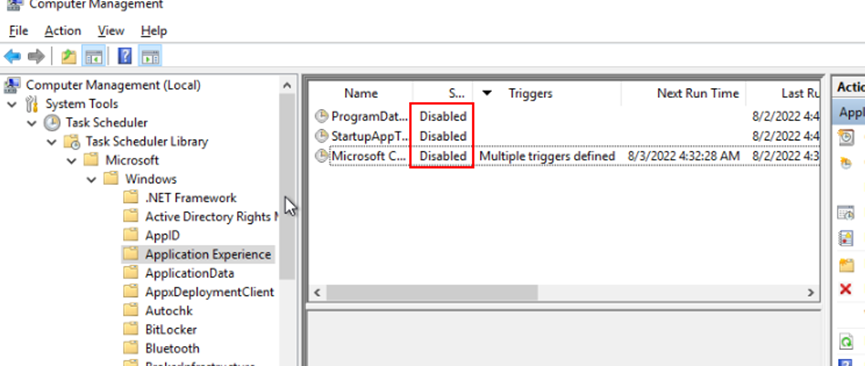
- Delete the migration task on the SMS console, create a task for the source server again, and start the migration task.
What is your overall rating for this page?
0
1
2
3
4
5
6
7
8
9
10
Very dissatisfiedVery satisfied
Thank you very much for your feedback. We will continue working to improve the documentation.
The system is busy. Please try again later.


