

How Do I Migrate an ECS from One Region to Another Using SMS?
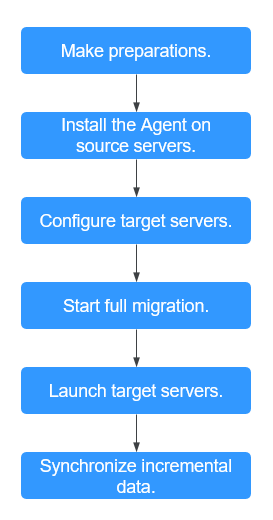
| Step | Description |
|---|---|
| Before using SMS to migrate servers, you need to prepare and configure accounts, permissions, and source and target servers. | |
| Install the Agent on source servers. | Install the Agent on the source ECSs in the region you are migrating from. |
| . . | After the SMS-Agent is installed and started, configure target servers in the target region on the SMS console. |
| . . | After the target servers are configured, start the migration tasks to migrate applications and data from the source servers to the target servers. |
| . . | After the full data migration is complete, launch the target servers to verify services. |
| After the target servers are launched, if there are data changes on your source servers, you can synchronize the incremental data to the target servers. |


