

Updated on 2025-07-10 GMT+08:00
Creating a Project
Using projects, you can easily group and manage migration resources for different initiatives. Two types of projects are available for different migration cases.
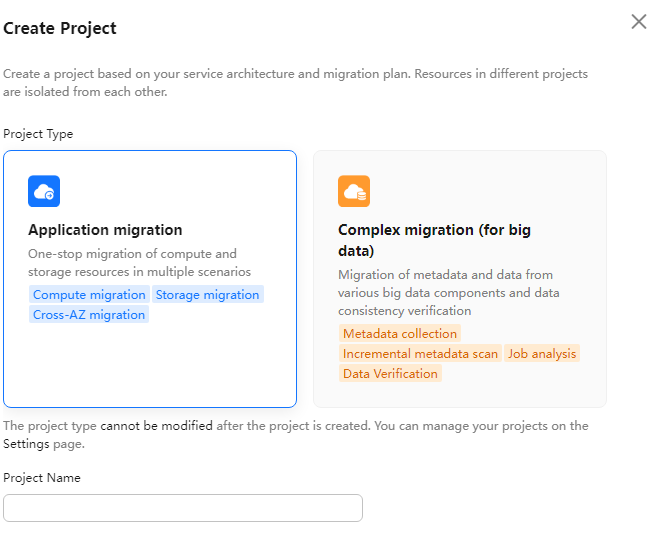
- Application migration: This type of projects applies to discovery and migration of server and storage resources.
- Complex migration (for big data): This type of projects applies to big data migration and consistency verification.
Procedure
- Sign in to the MgC console.
- In the navigation pane on the left, choose Settings.
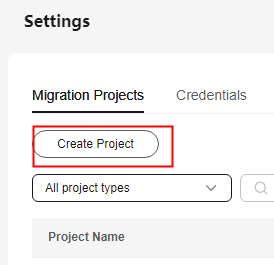
- Under Migration Projects, click Create Project. Figure 1 Creating a project
- In the dialog box that is displayed, view the application scenarios of each project type, and select a project type as required.

The project type cannot be changed after the project is created.
Figure 2 Selecting a project type
- Enter a project name and click Create. After the project is created, you can view it in the project list.
What is your overall rating for this page?
0
1
2
3
4
5
6
7
8
9
10
Very dissatisfiedVery satisfied
Thank you very much for your feedback. We will continue working to improve the documentation.
The system is busy. Please try again later.


