

Help Center/ ModelArts/ FAQs/ Notebook (New Version)/ Failures to Access the Development Environment Through VS Code/ What Can I Do If a Notebook Instance Is Frequently Disconnected or Stuck After I Use MobaXterm to Connect to the Notebook Instance in SSH Mode?
Updated on 2025-09-08 GMT+08:00
What Can I Do If a Notebook Instance Is Frequently Disconnected or Stuck After I Use MobaXterm to Connect to the Notebook Instance in SSH Mode?
Symptom
After MobaXterm is connected to a development environment, it is disconnected after a period of time.
Possible Cause
When MobaXterm is configured, SSH keepalive is not selected or Stop server after of MobaXterm Professional is set to a value that is too small.
Solution
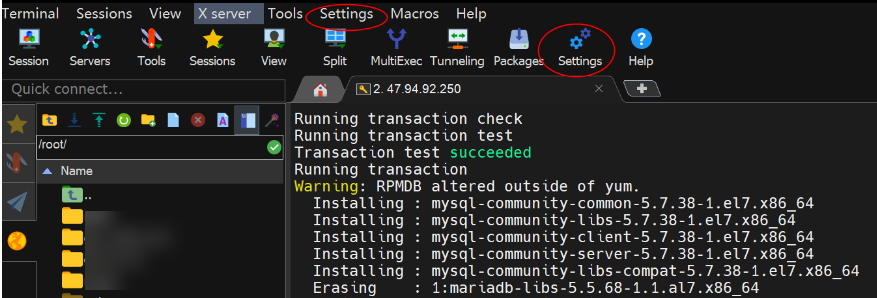
- Open MobaXterm and click Settings on the menu bar. Figure 1 Settings
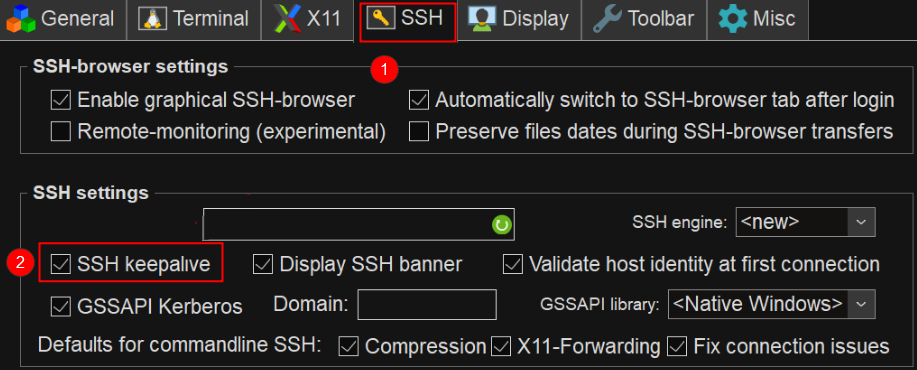
- On the MobaXterm configuration page, click the SSH tab and select SSH keepalive. Figure 2 Selecting SSH keepalive
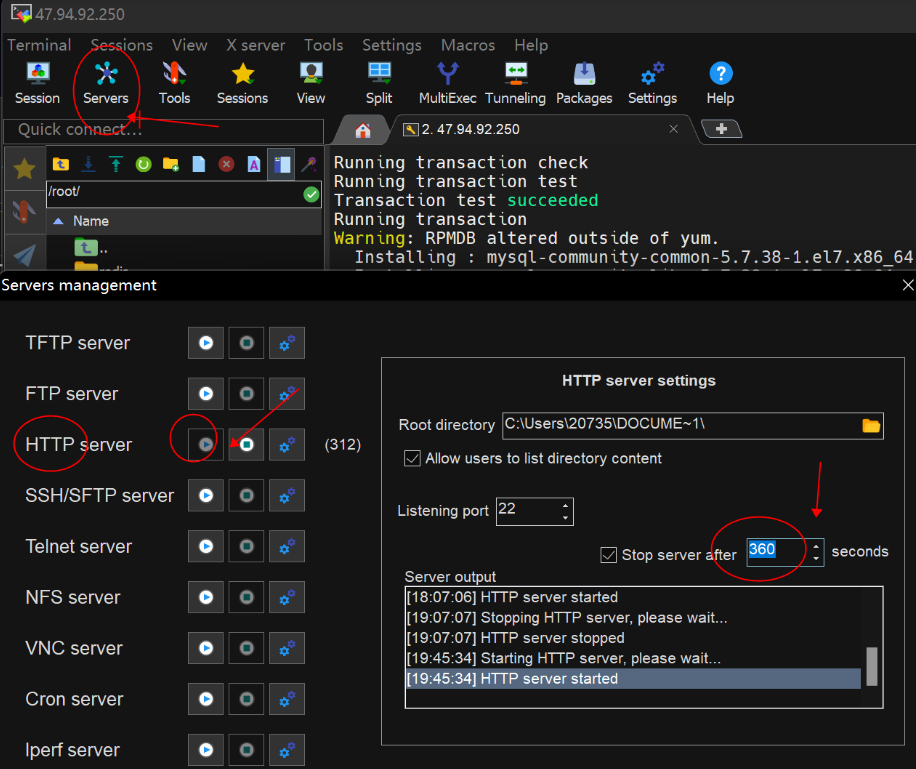
- Change the default value 360 seconds to 3600 seconds or a larger value for Stop server after. Figure 3 Setting Stop server after

What is your overall rating for this page?
0
1
2
3
4
5
6
7
8
9
10
Very dissatisfiedVery satisfied
Thank you very much for your feedback. We will continue working to improve the documentation.
The system is busy. Please try again later.


