

Updated on 2023-11-28 GMT+08:00
Quick Start
This document helps you get started with CodeArts Check. For example, a new company can use CodeArts Check after performing routine operation configurations.
Process
This diagram describes the basic operation process of CodeArts Check, helping you quickly get started.
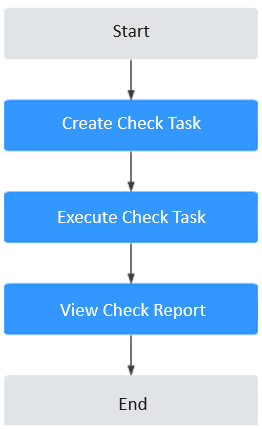
Procedures
- Create a code check task.
On the CodeArts homepage, choose . Click Create Task to create a check task.
When creating a task, you can obtain code from a code repository of the associated project.
- Execute the code check task.
After a CodeArts Check task is created, the check details page is displayed. Click Start Check to execute the task.
- View the code check report.
After the check is complete, click the check task name. On the displayed page, you can click Logs, Metrics, Issues, and Overview to view details.
What is your overall rating for this page?
0
1
2
3
4
5
6
7
8
9
10
Very dissatisfiedVery satisfied
Thank you very much for your feedback. We will continue working to improve the documentation.
The system is busy. Please try again later.


