

Help Center/ CodeArts Deploy/ FAQs/ Other Deployment Actions/ Creating an IIS Site/ How Should I Check the IIS Function on the Local Host?
Updated on 2025-05-27 GMT+08:00
How Should I Check the IIS Function on the Local Host?
To check whether the IIS function exists on the local computer, perform the following steps:
The following steps use Windows Server 2012 R2 as an example:
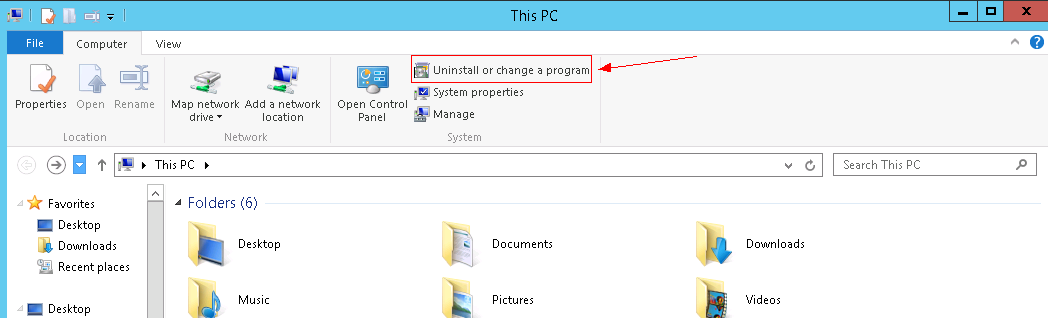
- Start the computer and click Uninstall or change a program. Figure 1 Uninstalling or changing a program
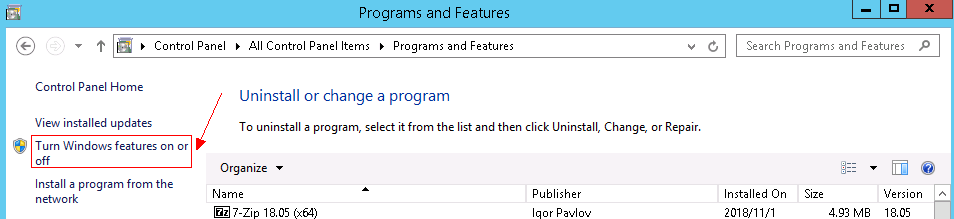
- Click Turn Windows features on or off. Figure 2 Turning Windows features on or off
- On the page displayed, click Next. Figure 3 Selecting installation type
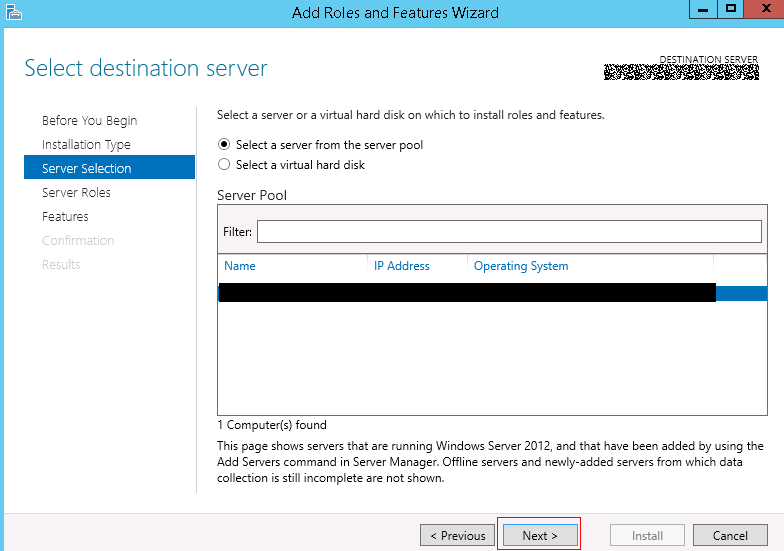
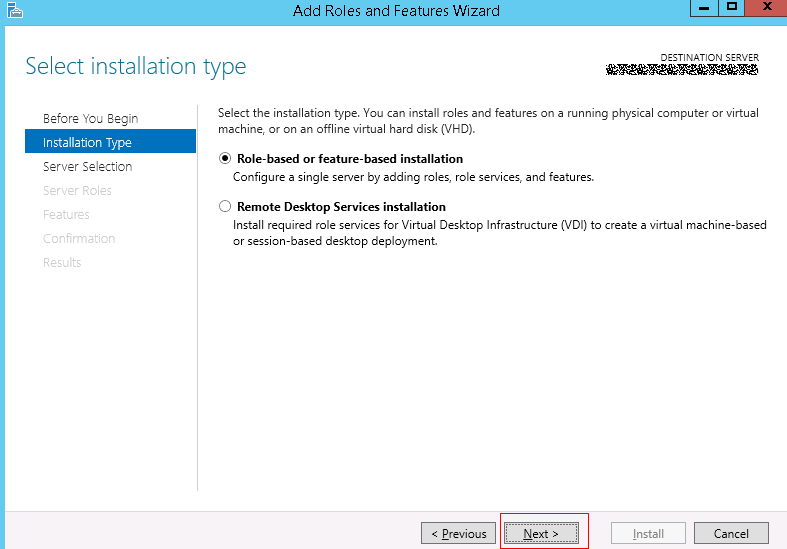 Figure 4 Selecting destination server
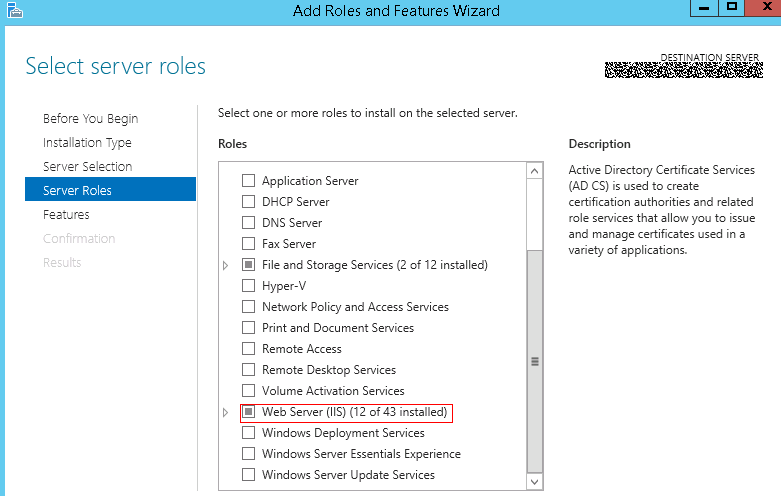
- On the page displayed, find Web Server (IIS). If Web Server (IIS) does not exist, the IIS function is not supported. Figure 5 Finding Web Server (IIS)
Parent topic: Creating an IIS Site
What is your overall rating for this page?
0
1
2
3
4
5
6
7
8
9
10
Very dissatisfiedVery satisfied
Thank you very much for your feedback. We will continue working to improve the documentation.
The system is busy. Please try again later.


