

Help Center/ Data Replication Service/ Verification Tasks/ Verification Tasks/ Data Verification Management/ Selecting Objects
Updated on 2025-07-16 GMT+08:00
Selecting Objects
After creating a real-time verification task, you can add or remove objects in tables to be verified and submit the verification task again.
Prerequisites
- A verification task has been created.
Procedure
- On the Data Verification Management page, click the target task in the Task Name/ID column.
- Choose Verification Objects.
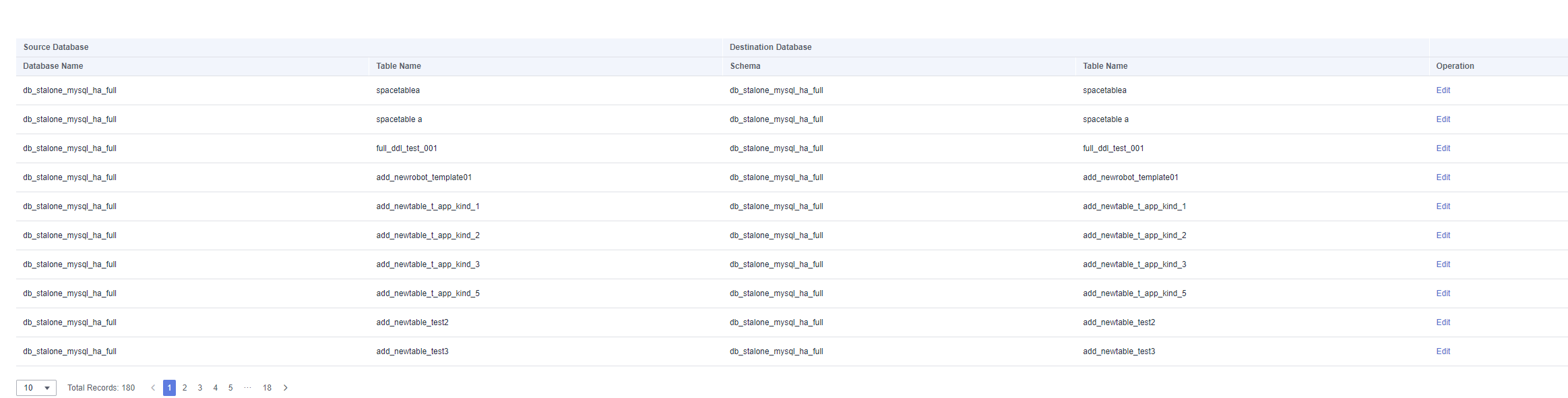
- Locate the target table and click Edit in the Operation column. Figure 1 Selecting objects
- On the Verification Objects page, select objects by referring to 4.
- On the Verification Rules page, select tables to be verified.
- If you do not need a verification rule, click Next.
- To create a verification rule, perform 5.
- On the Check Task page, wait until the precheck is complete and click Next.
- On the Confirm Task page, confirm the verification task information and click Submit and Start.
Parent topic: Data Verification Management
What is your overall rating for this page?
0
1
2
3
4
5
6
7
8
9
10
Very dissatisfiedVery satisfied
Thank you very much for your feedback. We will continue working to improve the documentation.
The system is busy. Please try again later.


