

Help Center/ Cloud Eye/ FAQs/ Product Usage/ Server Monitoring/ What Should I Do If an Error Is Reported When I Run the Agent Installation Command?
Updated on 2025-11-14 GMT+08:00
What Should I Do If an Error Is Reported When I Run the Agent Installation Command?
Symptom
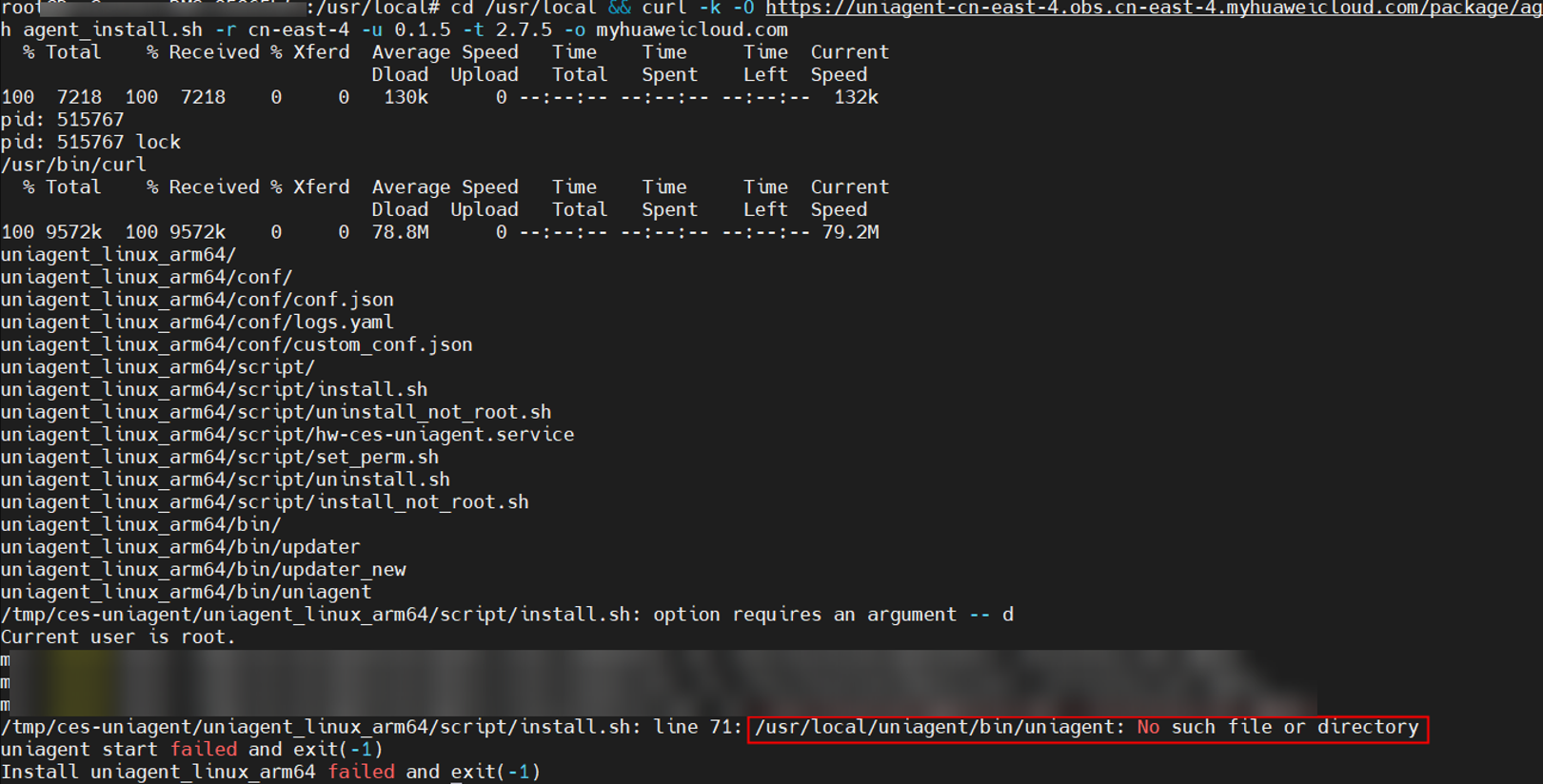
When you run the Cloud Eye Agent installation command, the error message "/usr/local/uniagent/bin/uniagent: No such file or directory" is displayed. The installation fails, as shown in Figure 1.
Possible Causes
The earlier version of Cloud Eye Agent is incompatible with some Arm images.
Solution
- Uninstall the Agent.
bash /usr/local/uniagent/script/uninstall.sh
- Modify the -u and -t parameters in the Agent installation command. Change the value of -u to 0.2.1 and that of -t to 2.7.5.
For CN East 2:
Command before modification
cd /usr/local && curl -k -O https://uniagent-cn-east-4.obs.cn-east-4.myhuaweicloud.com/package/agent_install.sh && bash agent_install.sh -r cn-east-4 -u 0.1.5 -t 2.5.6 -o myhuaweicloud.com
Command after modification
cd /usr/local && curl -k -O https://uniagent-cn-east-4.obs.cn-east-4.myhuaweicloud.com/package/agent_install.sh && bash agent_install.sh -r cn-east-4 -u 0.2.1 -t 2.7.5 -o myhuaweicloud.com
Parent topic: Server Monitoring
What is your overall rating for this page?
0
1
2
3
4
5
6
7
8
9
10
Very dissatisfiedVery satisfied
Thank you very much for your feedback. We will continue working to improve the documentation.
The system is busy. Please try again later.


