

Updated on 2025-09-08 GMT+08:00
How Do I View an Account ID and IAM User ID?
- Use your IAM account to log in to Huawei Cloud.
- In the upper right corner of the page, click Console. The HUAWEI CLOUD management console is displayed. Figure 1 Console

- Hover the cursor over the account name in the upper right corner of the console and choose My Credentials from the drop-down list. The API Credentials page is displayed. Figure 2 My Credentials
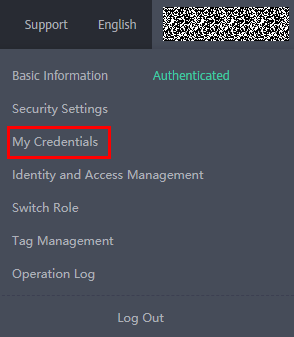
- On the API Credentials page, obtain the IAM username, user ID, account name, and account ID. Figure 3 Obtaining the credentials

Parent topic: General Issues
What is your overall rating for this page?
0
1
2
3
4
5
6
7
8
9
10
Very dissatisfiedVery satisfied
Thank you very much for your feedback. We will continue working to improve the documentation.
The system is busy. Please try again later.


