

Updated on 2025-09-22 GMT+08:00
Obtaining Region ID
Scenario
When you call an API, a region ID is required in some request parameters. This section describes how to obtain the region ID on the console.
Obtaining a Region ID from the Console
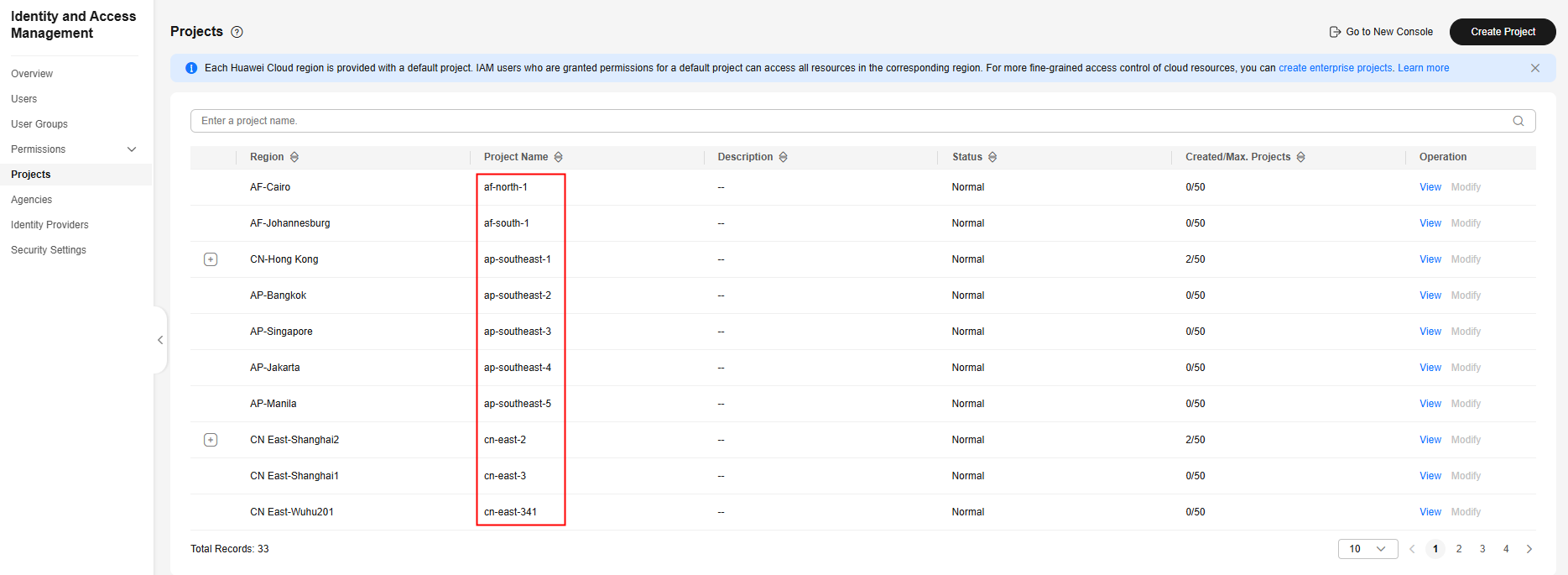
- Log in to Huawei Cloudthe cloud platform, go to the IAM console, and choose Projects.
- The value in the Project Name column is the ID of the region that the project belongs to. Figure 1 Viewing the region ID
What is your overall rating for this page?
0
1
2
3
4
5
6
7
8
9
10
Very dissatisfiedVery satisfied
Thank you very much for your feedback. We will continue working to improve the documentation.
The system is busy. Please try again later.


