

Help Center/ CodeArts TestPlan/ User Guide/ Testing Design/ Requirement Catalog Test Design Strategies/ Designing a Test Case
Updated on 2023-11-28 GMT+08:00
Designing a Test Case
After the operation in Designing a Test Point is complete, the test cases can be further refined.
A test case consists of three parts: prerequisites, step, and expected result. Set the three parts during test case design.
- Go to the created mind map.
- Under the registered member node, create subnodes as required (prerequisites, step, and expected result). For details, see Adding a Node.
- Select the node as the prerequisite and click
 on the toolbar above the mind map.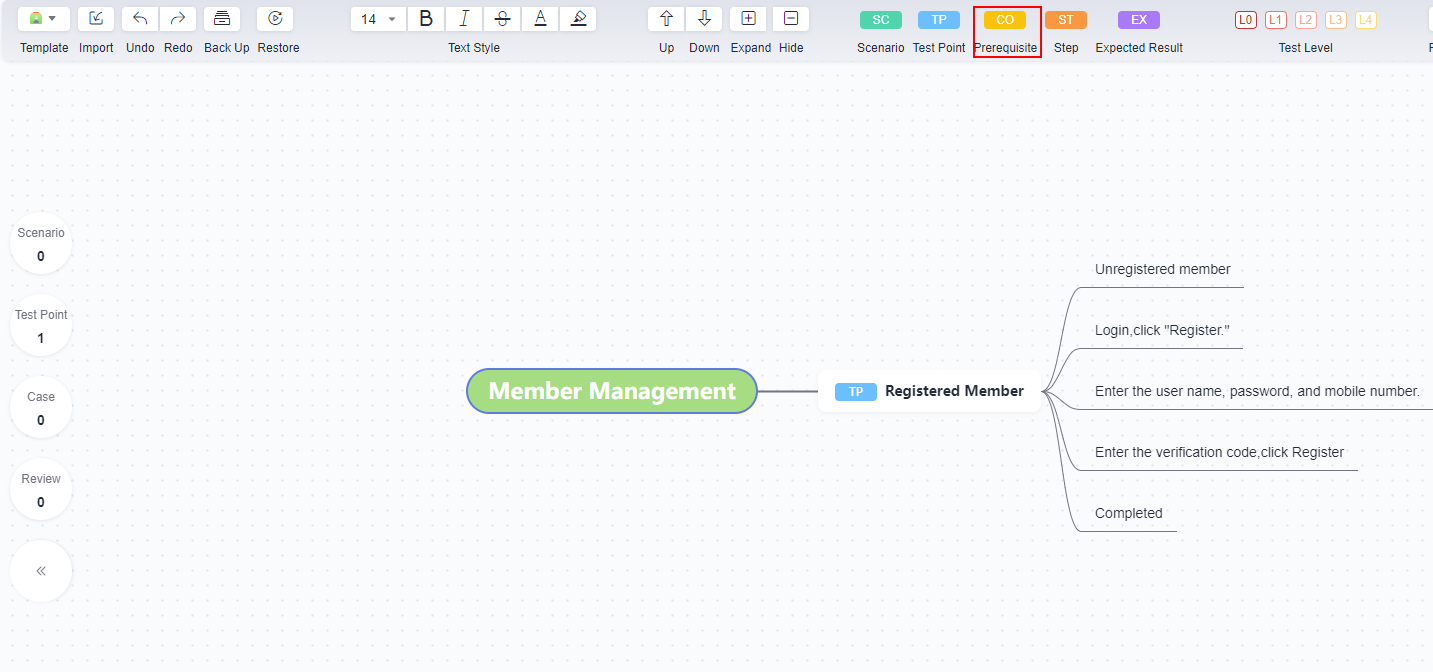
If
 is displayed in the node, the setting is successful.
 - Select the node that is used as the step and click
 on the toolbar above the mind map.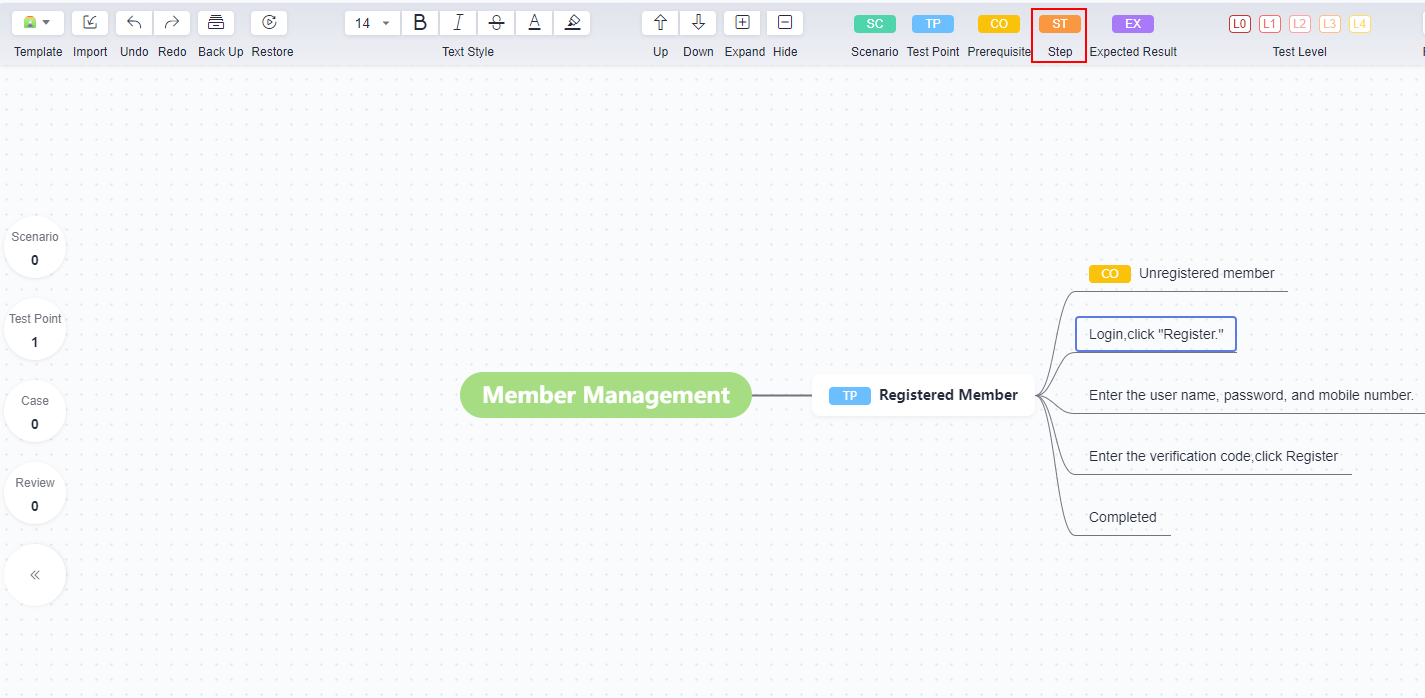
If
 is displayed in the node, the setting is successful.
 - Select the node as the expected result and click
 on the toolbar above the mind map.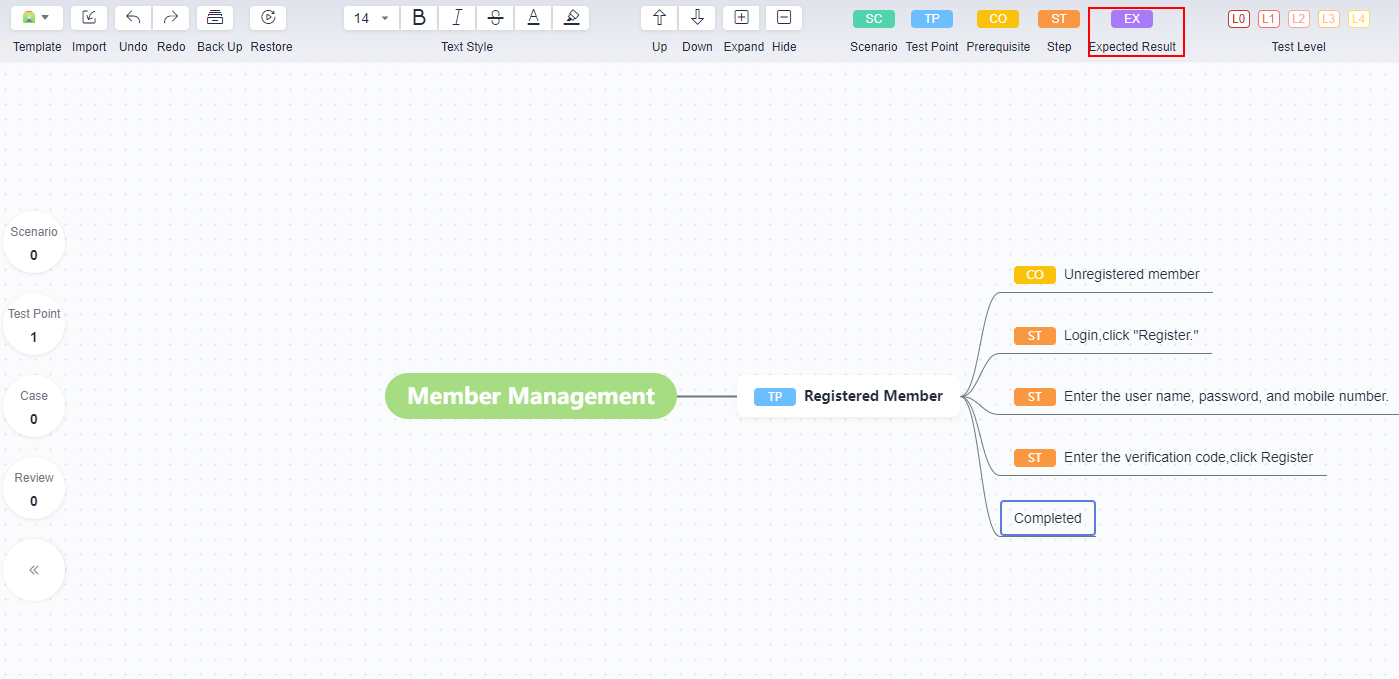
If
 is displayed in the node, the setting is successful.
Parent topic: Requirement Catalog Test Design Strategies
What is your overall rating for this page?
0
1
2
3
4
5
6
7
8
9
10
Very dissatisfiedVery satisfied
Thank you very much for your feedback. We will continue working to improve the documentation.
The system is busy. Please try again later.


