

Updated on 2025-12-03 GMT+08:00
Deleting a Tag
Scenario
If you no longer need tags, you can delete them from resource shares.
Procedure
- Log in to the RAM console.
- Choose Shared by Me > Resource Shares.
- Click the name of the resource share you want to view. The resource share details page is displayed.
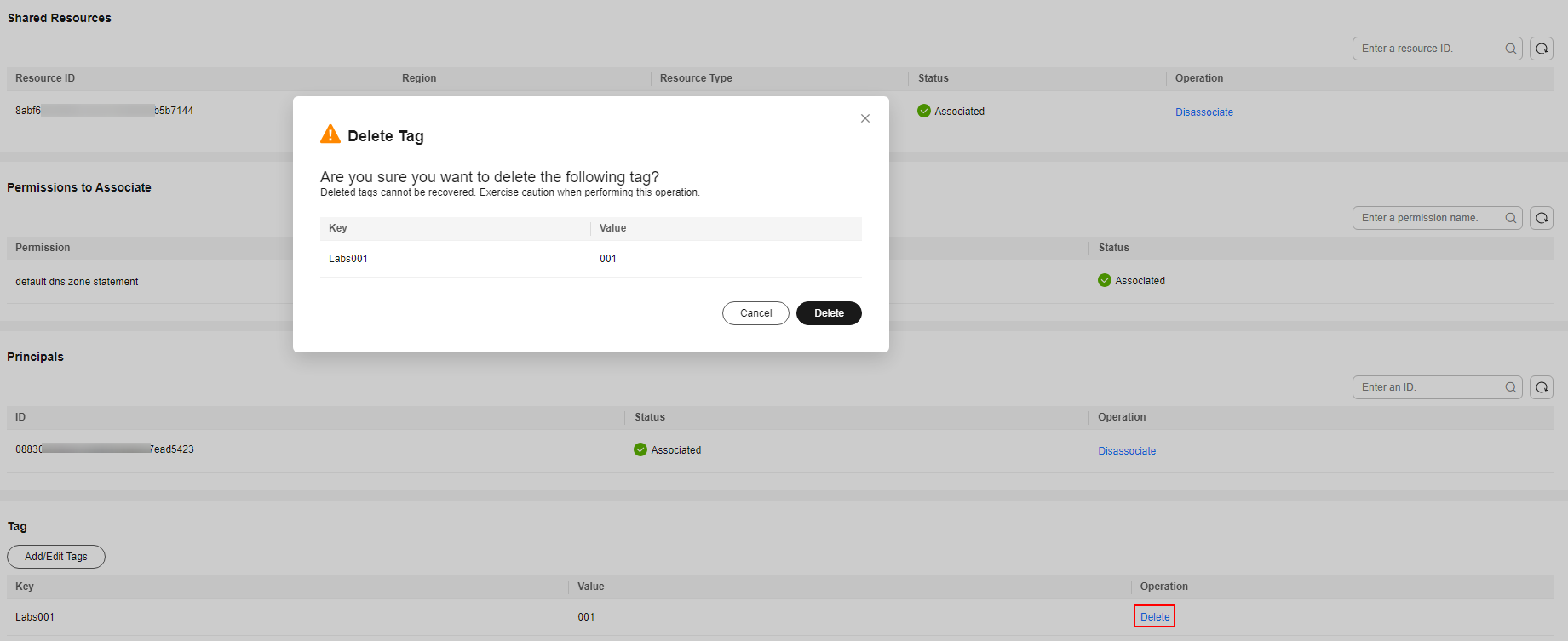
- Click Delete in the Operation column of the row that contains the tag you want to delete.
- Click Delete in the displayed dialog box. Figure 1 Deleting a tag
Parent topic: Tag Management
What is your overall rating for this page?
0
1
2
3
4
5
6
7
8
9
10
Very dissatisfiedVery satisfied
Thank you very much for your feedback. We will continue working to improve the documentation.
The system is busy. Please try again later.


