

How Do I Run a Scrum Project?
This section describes the process of a Scrum project. Different types of work items can be created in a Scrum project, and they are organized in the descending hierarchy: . You can specify owners and workloads, set priorities, and track status and progress of work items.
Procedure
The following figure shows the basic process of a Scrum project. This process can be repeated for continuous planning and delivery in each sprint.
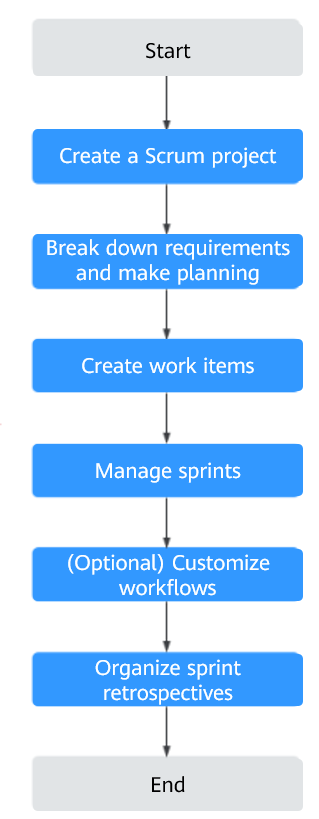
| Step | Description |
|---|---|
| Create a Scrum project | On the CodeArts homepage, click Create Project. Select Scrum as the project template. |
| Break down and plan requirements | On the project details page, choose and make planning using mind maps or Gantt charts based on the project requirements. |
| Create a work item | After planning requirements, choose to create work items (such as epics, features, stories, or bugs). Assign work items to project members. |
| Manage sprints | Plan and manage sprints. On the project details page, choose and click Create Sprint. |
| (Optional) Customize workflows | Customize workflows as required. |
| Organize sprint retrospectives | Review the sprints for improvements. |


