

Help Center/ ModelArts/ FAQs/ Notebook (New Version)/ Failures to Access the Development Environment Through VS Code/ What Do I Do If It Takes a Long Time to Set Up a Remote Connection After VS Code Is Automatically Upgraded?
Updated on 2025-09-08 GMT+08:00
What Do I Do If It Takes a Long Time to Set Up a Remote Connection After VS Code Is Automatically Upgraded?
Symptom
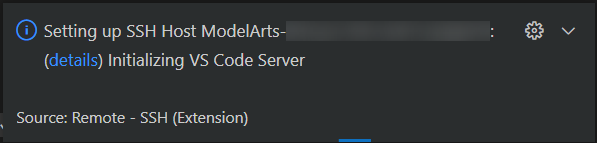
Possible Cause
VS Code is automatically upgraded. As a result, download the new VS Code server to set up a new connection.
Solution
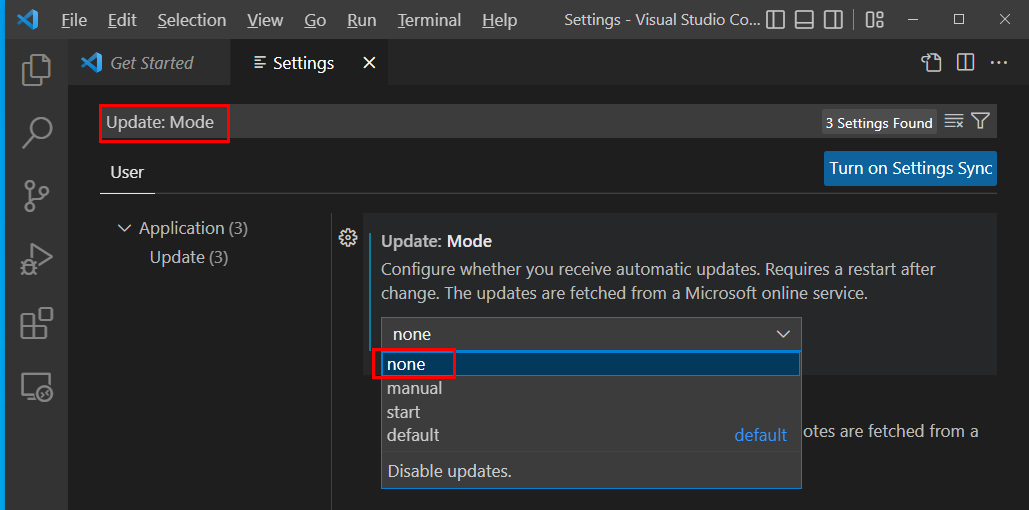
Disable automatic VS Code upgrade. To do so, click Settings in the lower left corner, search for Update: Mode, and set it to none.
Figure 1 Settings
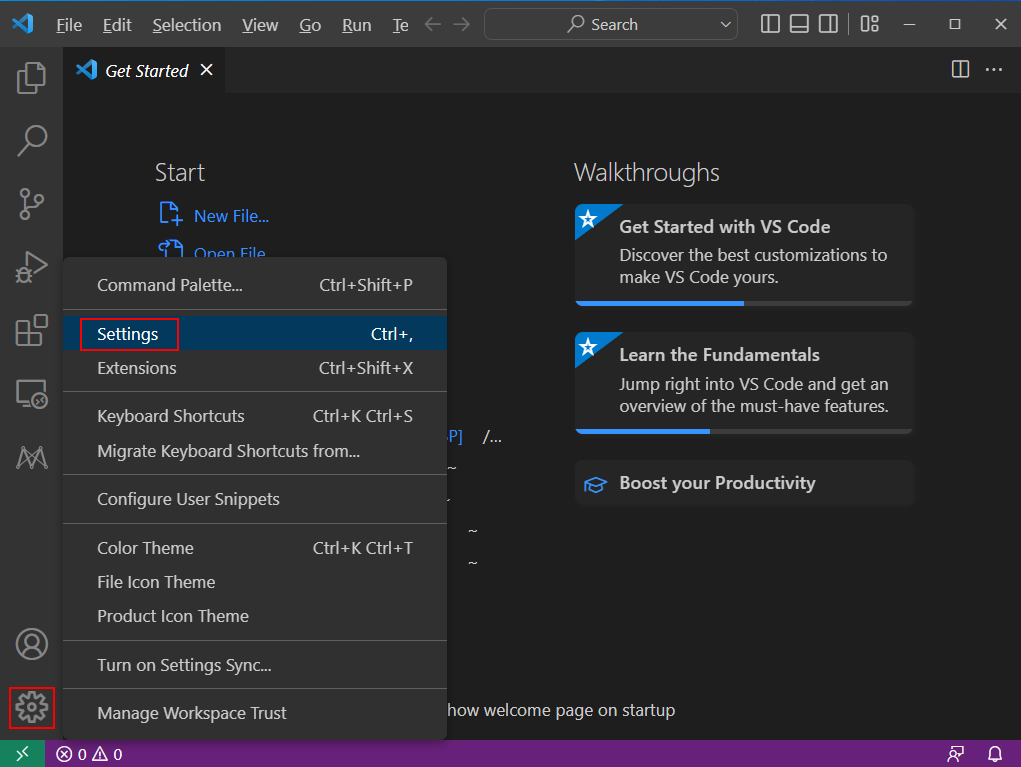
Figure 2 Setting the update mode to none
What is your overall rating for this page?
0
1
2
3
4
5
6
7
8
9
10
Very dissatisfiedVery satisfied
Thank you very much for your feedback. We will continue working to improve the documentation.
The system is busy. Please try again later.


