

Help Center/ CodeArts Deploy/ FAQs/ Application Deployment/ Do I Need to Upload a Software Package to CodeArts Artifact Before Deployment?
Updated on 2025-05-27 GMT+08:00
Do I Need to Upload a Software Package to CodeArts Artifact Before Deployment?
Not necessarily. The software package can be downloaded from CodeArts Artifact or using a build task. Therefore, you can select a file in CodeArts Artifact or use the output of a build task for deployment..
Set Deployment Source to Artifact
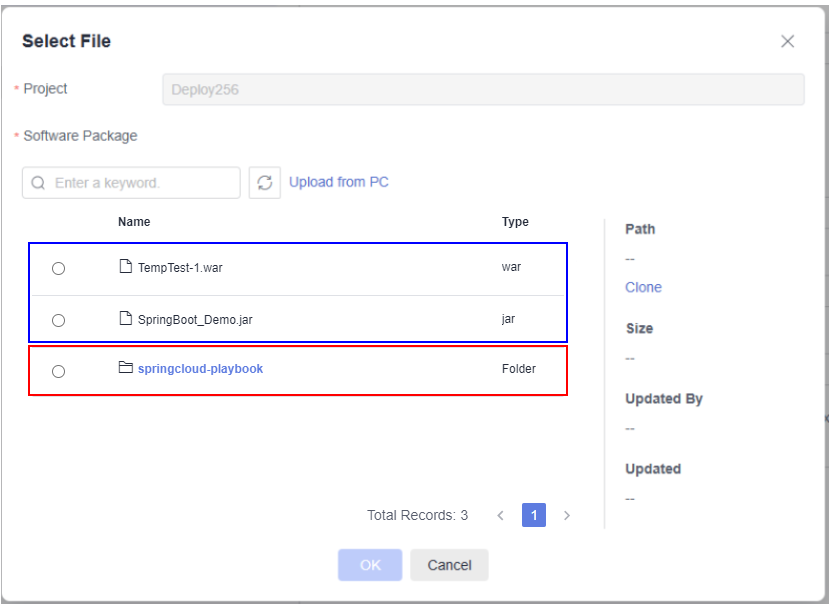
- In the action Select Deployment Source, set Source to Artifact, and click
 on the right of Software Package.
 - In the Select File dialog box displayed, select the target software package downloaded from CodeArts Artifact.
- For a software package in the folder format, all files in the folder are downloaded by default in the action Select Deployment Source.
- For a software package in the file format, the file is downloaded by default in the action Select Deployment Source.
Setting the Source to Build Task
- In the action Select Deployment Source, set Source to Build task.
- Click the Build Task drop-down list box. All build tasks under the current project are displayed. Figure 1 Selecting a build task

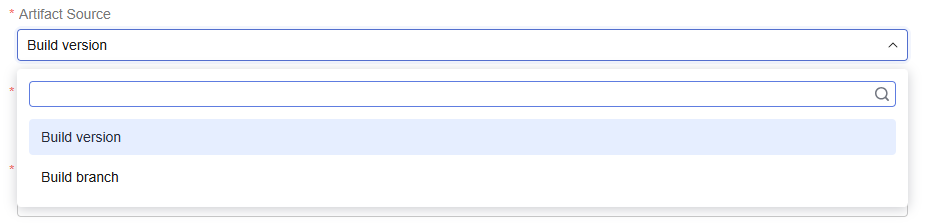
- Select Artifact Source drop-down list box. Figure 2 Selecting an artifact source
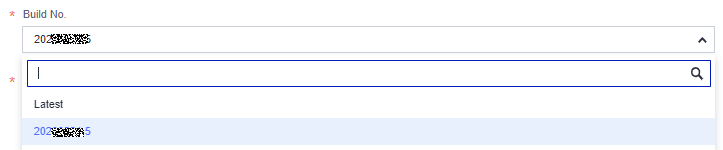
- Set Build No.. You need to create a build task and then select a build No. Figure 3 Setting build No.
- After application deployment, download the software package generated based on the build record to the specified path on the target host.
Parent topic: Application Deployment
What is your overall rating for this page?
0
1
2
3
4
5
6
7
8
9
10
Very dissatisfiedVery satisfied
Thank you very much for your feedback. We will continue working to improve the documentation.
The system is busy. Please try again later.


