

Help Center/ DataArts Studio/ FAQs/ DataArts Factory/ How Do I Configure Notifications for All Jobs?
Updated on 2025-08-05 GMT+08:00
How Do I Configure Notifications for All Jobs?
Symptom
How to configure notifications for all jobs
Solution
- On the DataArts Studio console, locate a workspace and click DataArts Factory.
- In the navigation pane on the left, choose Monitoring > Job Monitoring. Then click the Batch Jobs tab.
- Select jobs and click Configure Notification. Figure 1 Configuring notifications
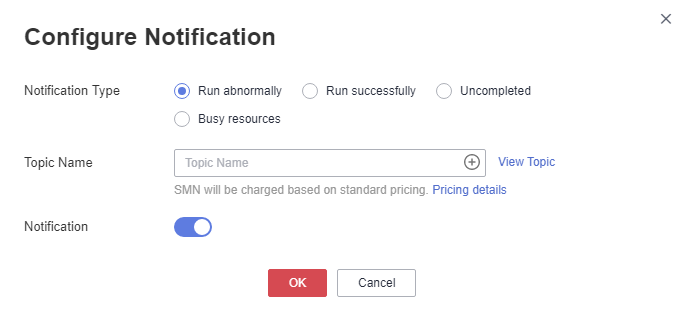
- Set notification parameters and click OK.
Parent topic: DataArts Factory
What is your overall rating for this page?
0
1
2
3
4
5
6
7
8
9
10
Very dissatisfiedVery satisfied
Thank you very much for your feedback. We will continue working to improve the documentation.
The system is busy. Please try again later.


