

Help Center/ Partner Center/ FAQs/ Partner Sales Management/ Cloud Solution Providers/ Registration and Authentication/ How Do I Change My Individual Account to an Enterprise Account?
Updated on 2026-03-09 GMT+08:00
How Do I Change My Individual Account to an Enterprise Account?
You can change your individual account to an enterprise account in account center.
Procedure
- Use your partner account to log in to Huawei Cloud.
- In the drop-down list of your account name, click Basic Information.
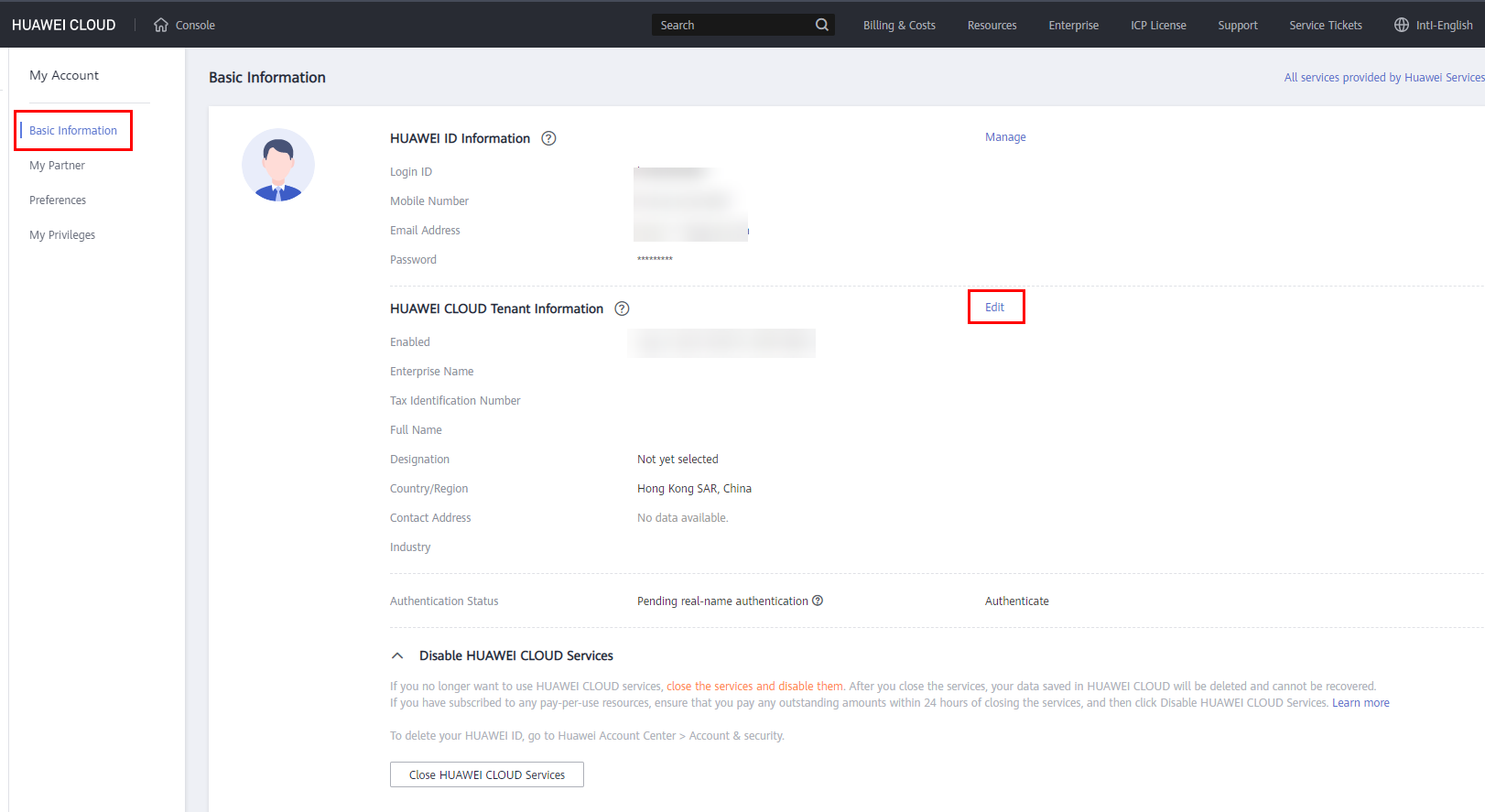
- Choose Basic Information in the navigation pane on the left.
- In the HUAWEI CLOUD Tenant Information area, click Edit.
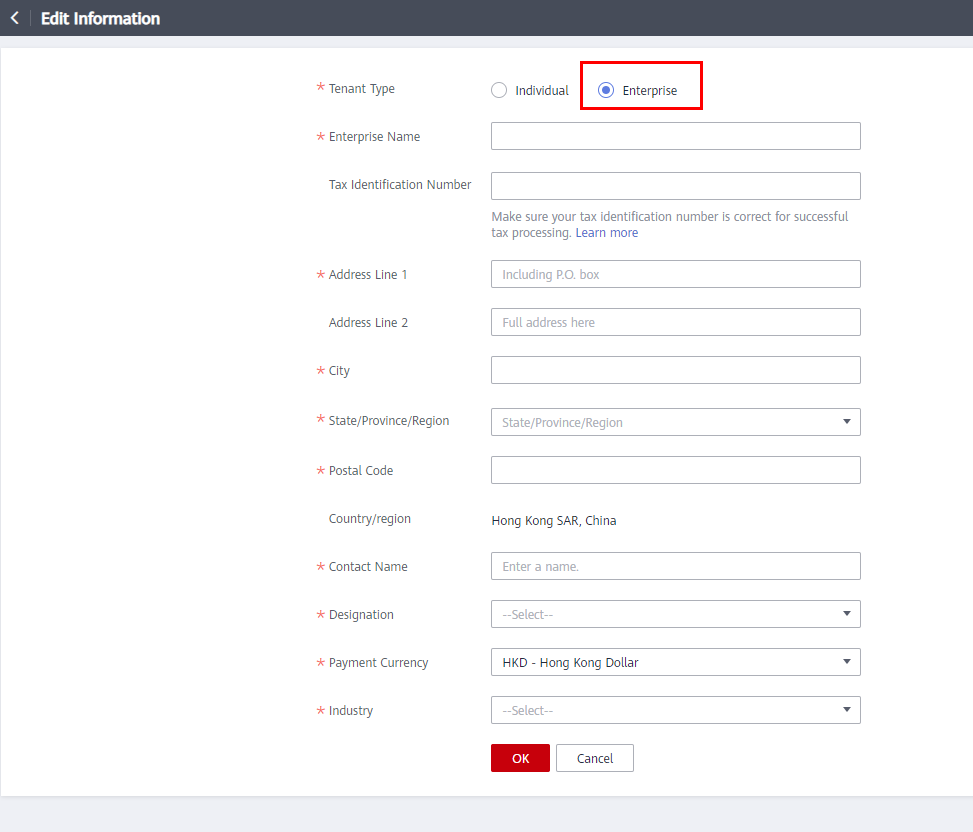
- On the displayed page, set Tenant Type to Enterprise and modify required information displayed in the following figure.
- Click OK.
What is your overall rating for this page?
0
1
2
3
4
5
6
7
8
9
10
Very dissatisfiedVery satisfied
Thank you very much for your feedback. We will continue working to improve the documentation.
The system is busy. Please try again later.


