

Help Center/ EventGrid/ Best Practices/ Routing OBS Application Service Messages to DMS for Kafka/ Implementation Procedure/ Viewing Event Messages
Updated on 2025-09-05 GMT+08:00
Viewing Event Messages
- Log in to the DMS for Kafka console and select the region where the Kafka instance is located.
- On thg DMS for Kafka page, click instance eg-kafka to go to the details page.
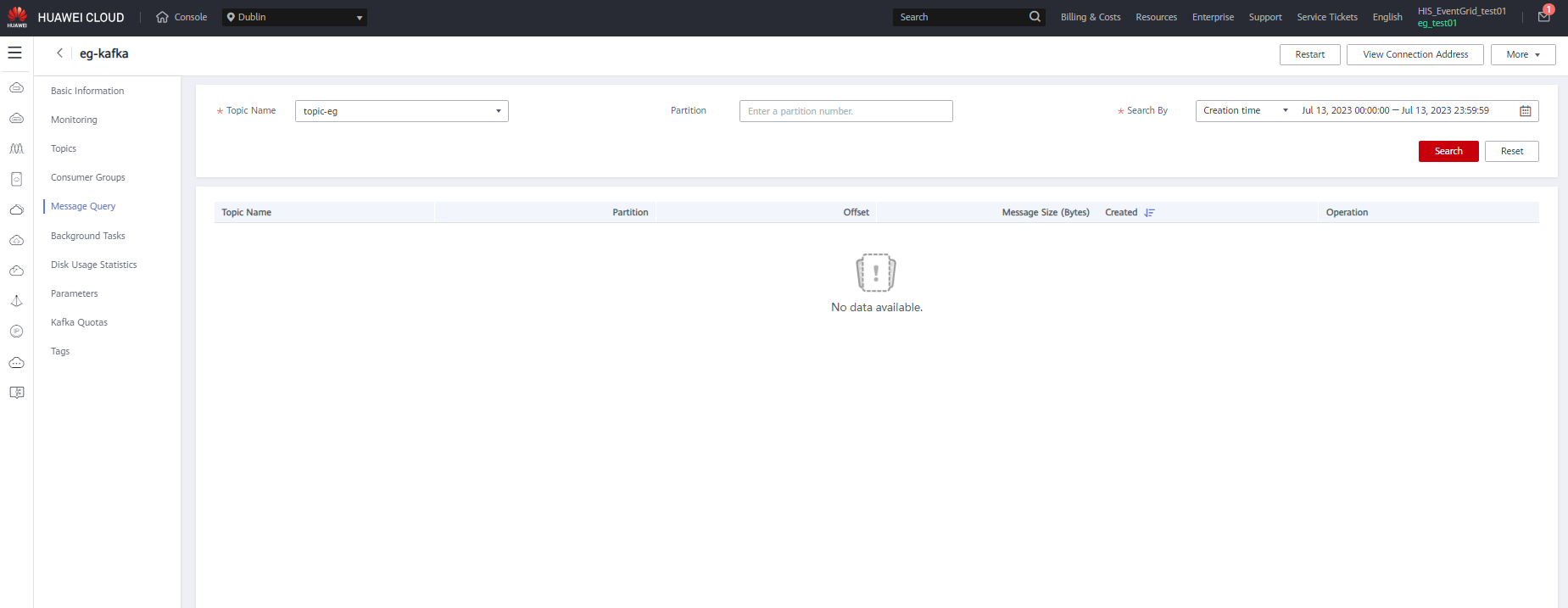
- Click the Message Query tab. Then specify the topic name (topic-eg), partition, and search method.
- Click Search to query messages.
- Click View Message Body to view message details. Figure 1 Event message details
Parent topic: Implementation Procedure
What is your overall rating for this page?
0
1
2
3
4
5
6
7
8
9
10
Very dissatisfiedVery satisfied
Thank you very much for your feedback. We will continue working to improve the documentation.
The system is busy. Please try again later.


