
Applying for FRS
Before using the APIs, you must apply for FRS as follows:

Before applying for FRS, register with HUAWEI CLOUD and complete real-name authentication.
Procedure
- Log in to the FRS management console on HUAWEI CLOUD.
- Select the sub-service to be enabled based on service requirements, for example, Face Detection, and click Enable Service on the right.
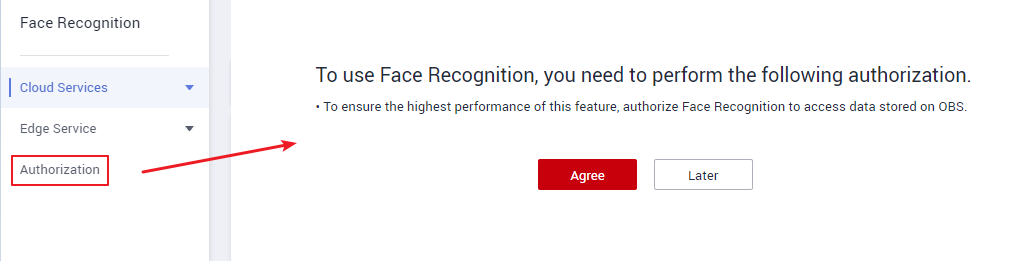
- In the left navigation pane, choose Authorization, and click Agree. Figure 1 shows the page. When authorization is complete, the Agree button changes to Authorized.
- You also need to authorize FRS to access data stored on the Object Storage Service (OBS) to ensure highest performance.
- During OBS authorization, if the system shows that the number of agencies reaches the upper limit, log in to the Identity and Access Management service console to delete or create agencies.
- When the service status is Enabled, you can call the APIs.
Parent topic: Calling APIs
Last Article: Calling APIs
Next Article: Making an API Request

Did this article solve your problem?
Thank you for your score!Your feedback would help us improve the website.